

Avatars
April 8, 2026 · Last updated on April 15, 2026
How to use Avatar V to create a realistic AI Avatar from a 15-second video

# Avatar
# Avatar V
Avatar V in HeyGen — Create AI videos using your own gestures and expressions
Creating a digital twin that moves like you, sounds like you, and expresses itself the way you do is now possible, with just a 15-second video.
HeyGen's Avatar V captures your motion, gestures, and natural expressiveness from a short reference video, then lets you apply all of that to any photo of yourself. Change your outfit, your setting, or your angle, the appearance is infinitely flexible, but the motion is unmistakably yours.
Whether you're scaling your content, delivering a message to customers, or showing up on screen without being on camera every time, Avatar V is the most authentic way to represent yourself at scale.
What's covered in this guide
- What is Avatar V?
- What makes Avatar V different?
- How do you create a video with Avatar V?
- Try Avatar V with Video Agent
- Tips for best results
- Recap
What is Avatar V?
Avatar V is HeyGen's next-generation AI avatar model. It builds a persistent digital identity from a short video of you, capturing your specific gestures, expressions, and mannerisms, then lets you animate any photo of yourself with that motion.
Until now, creators had to choose between two things: the flexibility of a photo, or the realism of a video. Avatar V is the first model that gives you both at the same time.
The result is a digital twin credible enough for external-facing content. The kind you'd send to a customer, post publicly, or use to represent yourself at scale.
What makes Avatar V different?
Most avatar models use generalized motion to match the words you type. Avatar V is trained on your own video footage, meaning it learns the way you specifically move, your cadence, your gestures, the subtle expressiveness that makes you recognizable.
This allows your avatar to perform across any script, any outfit, and any setting in a way that feels genuinely like you.
- Full upper-body performance that goes beyond just face and lips
- Cinematic-quality rendering that holds up across multiple camera angles
- Motion that's personal and recognizable, not generic
How do you create a video with Avatar V?
Start by recording a 15-second video of yourself. That short clip is everything Avatar V needs to learn your specific movement and expressiveness.
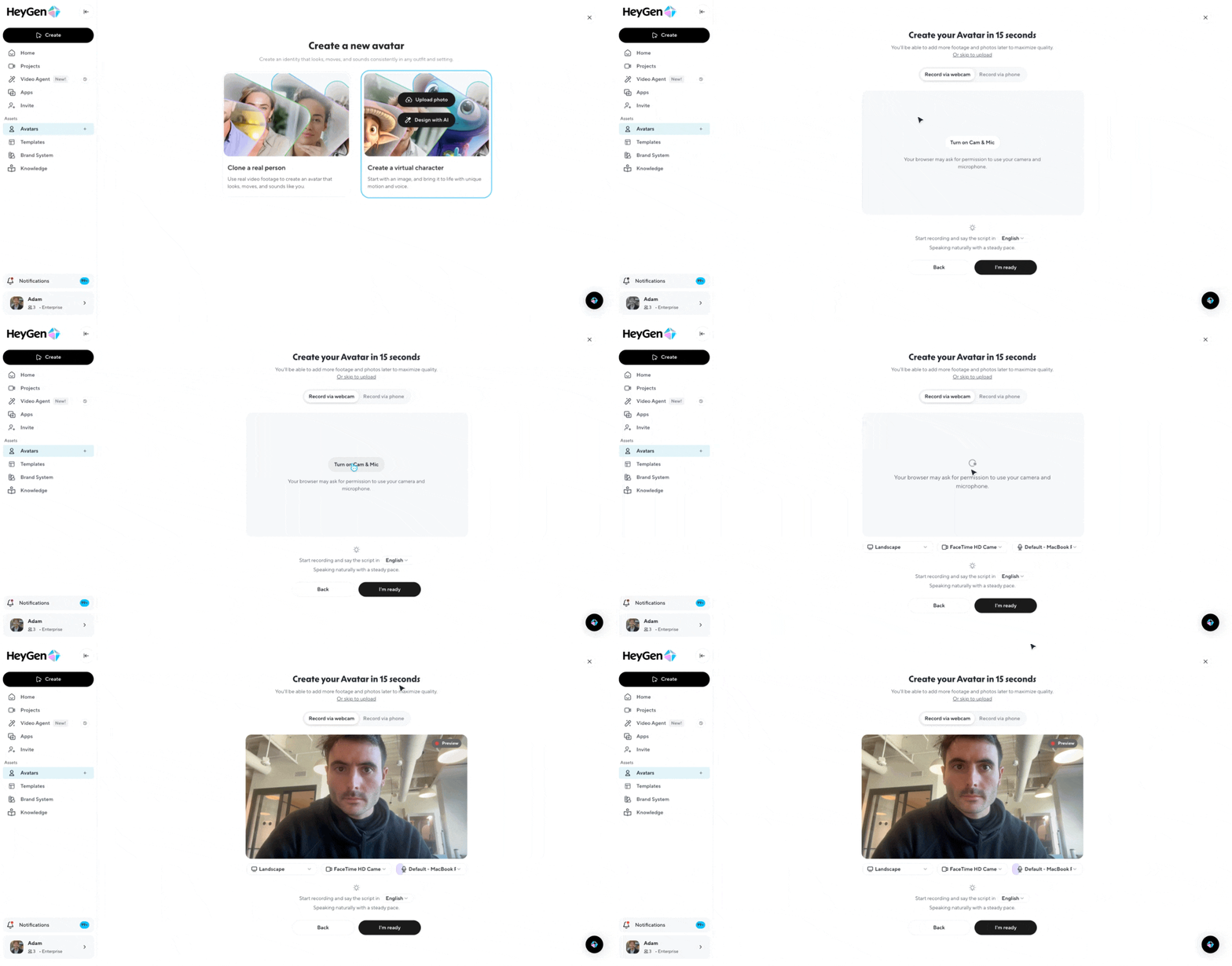
Open HeyGen, head to the Avatars section, and click "Clone a Real Person." Follow the prompts to record and submit your clip. For a full walkthrough on creating your video avatar, check out this guide.
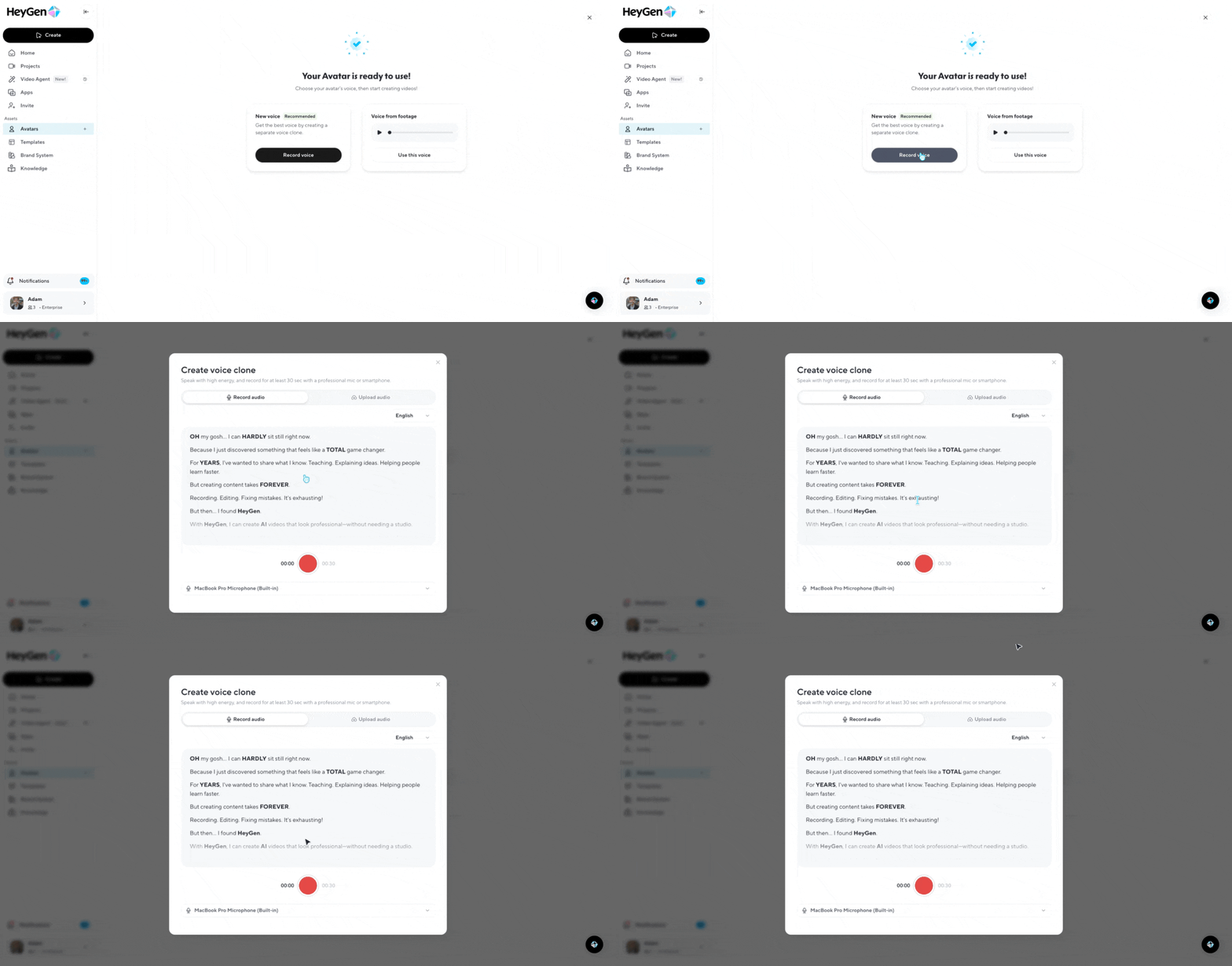
During the creation flow, you'll be prompted to create a standalone voice clone. This step is optional, but strongly recommended, it makes a big difference in how natural and authentic your final video sounds.
Take your time with this step, be expressive, and iterate until you're genuinely happy with how it sounds. For a full guide on voice cloning in HeyGen, visit this guide.
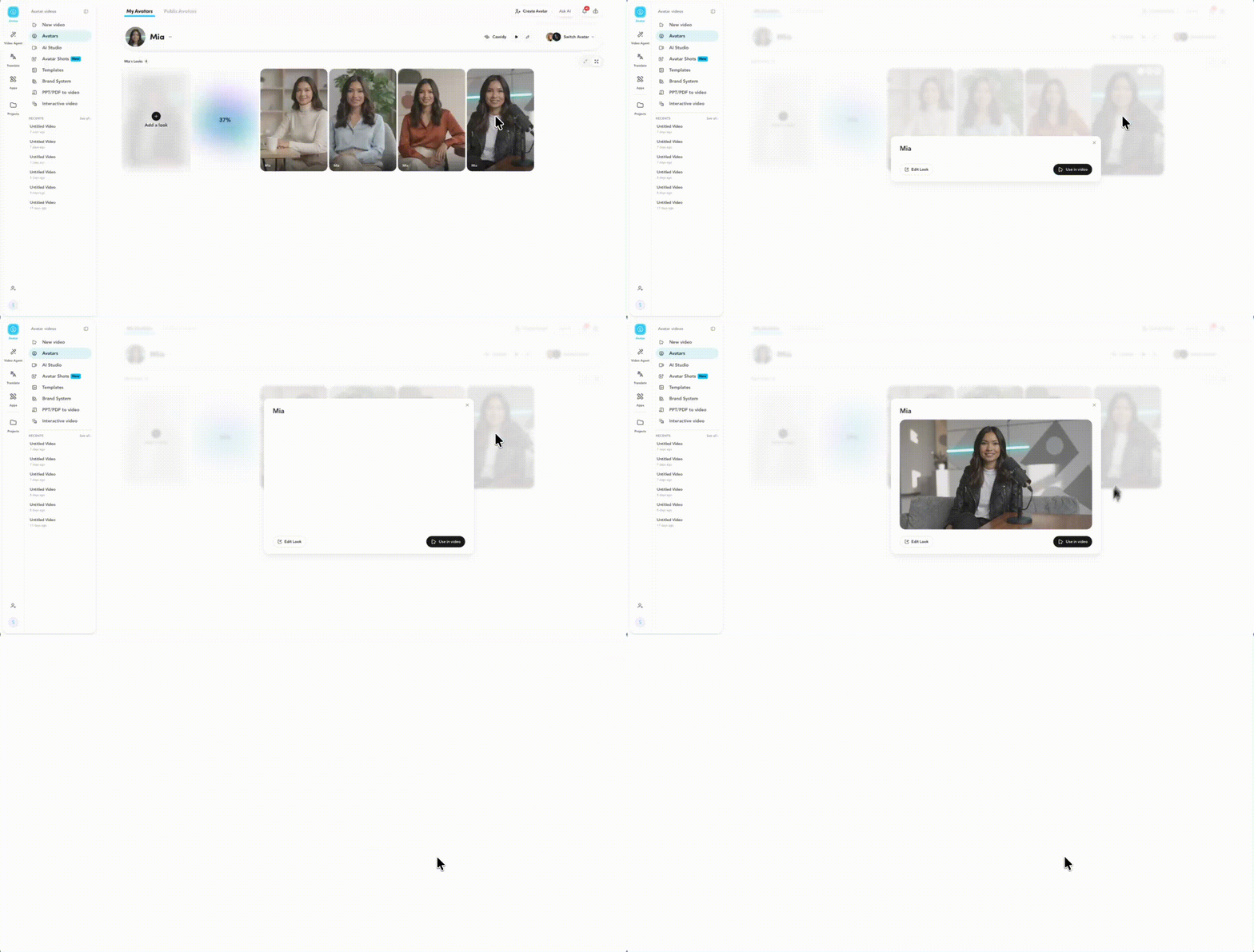
Once your avatar is ready, tap "edit look" to start building your looks. Start by choosing your base look, a clear, close-up or half-body photo where your face is visible and you feel you look your best, the photo Avatar V will use as your identity reference for every outfit and scene you generate.

Once you've set your base look, you can remix looks from the HeyGen library or write your own custom prompts to generate new outfits, settings, and styles.
If a generated look is close but not quite right, tap Edit to make targeted adjustments. It's worth experimenting with a few different base looks, a strong base will consistently produce better outputs across every look you generate from it.
When you've found a look you want to use, click on "Use in video" to open your project in AI Studio.
Choose the avatar you just created, if your avatar already has a video in the looks, Avatar V will be automatically selected as the motion engine.
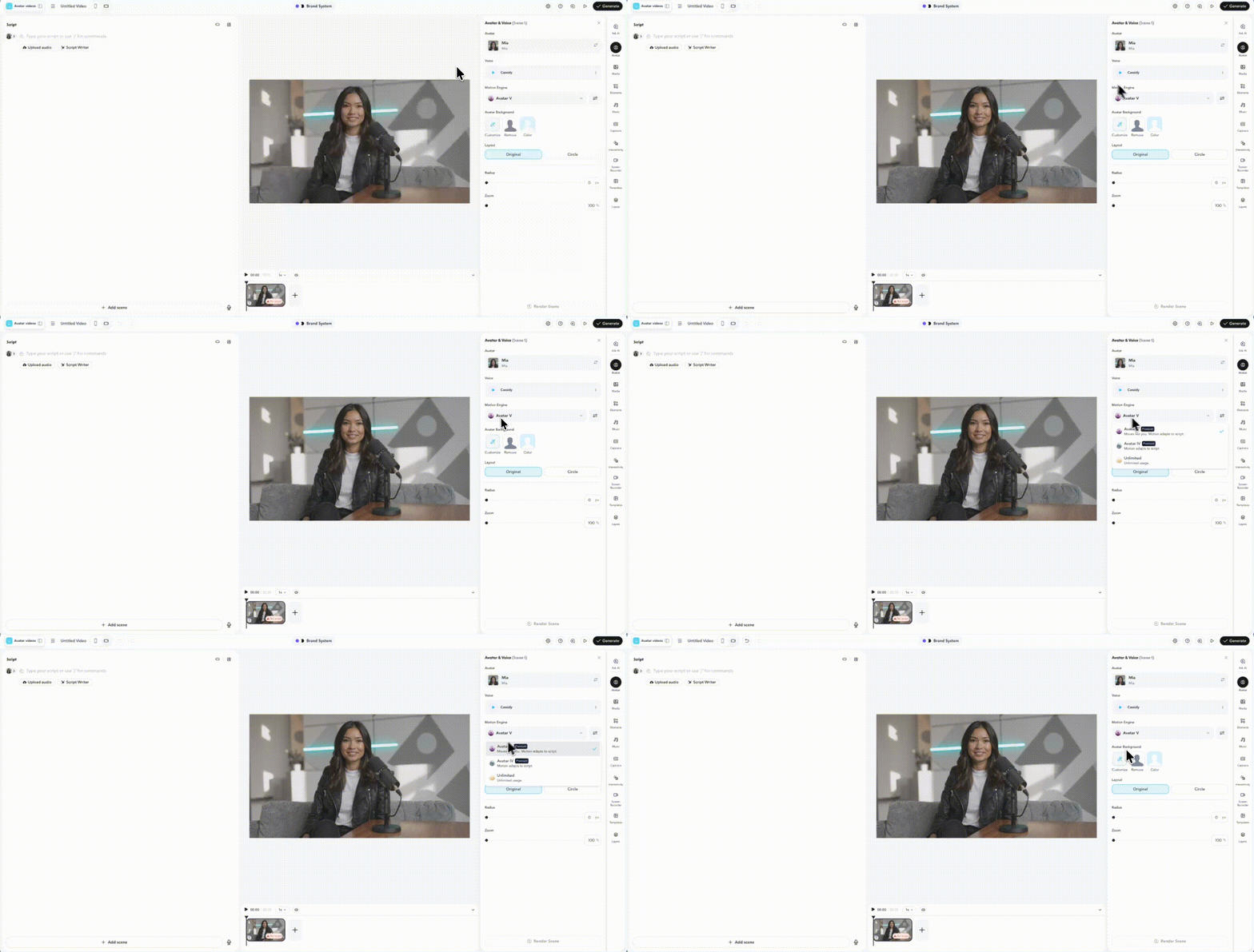
Open Advanced Settings and select the video you want to use as your motion reference.
Write your script, hit generate, and your video is on its way. Your digital twin will sync your motion and voice to match your delivery, no re-recording or retraining required.
Try Avatar V with Video Agent
Avatar V works great with Video Agent, HeyGen's tool for automatically generating complete, ready-to-publish videos from a single prompt. When you have a real human avatar selected in Video Agent, Avatar V is automatically used, no extra steps required. Avatar V supports videos up to 3 minutes long, making it a natural fit for longer content like training videos, explainers, and course material. Learn more about Video Agent here.
Tips for best results
A few things make a big difference in the quality of your Avatar V output.
Be extremely expressive during your 15-second recording, the energy you put in is the energy you get out. Take the time to create a standalone voice clone and iterate until it sounds like you. And when choosing your base look, pick a clear close-up where you feel you look your best.
Recap
In this guide, you learned:
- What is Avatar V?
- What makes Avatar V different?
- How do you create a video with Avatar V?
- Try Avatar V with Video Agent
- Tips for best results
We can't wait to see how you show up in the world with your Avatar V digital twin!
If you share your videos on social media, tag @HeyGen_Official so we can celebrate them with you.
Comments (0)
Popular

Dive in
Related
Guide
How I Create Realistic UGC Video Ads with AI Avatars
By George "GG" Gossland • May 16th, 2025 • Views 1.6K
Guide
How to use Avatar Shots with Seedance in HeyGen to create cinematic AI videos
Apr 7th, 2026 • Views 1.9K
Guide
How I Create Realistic UGC Video Ads with AI Avatars
By George "GG" Gossland • May 16th, 2025 • Views 1.6K
Guide
How to use Avatar Shots with Seedance in HeyGen to create cinematic AI videos
Apr 7th, 2026 • Views 1.9K