

Tutorial
April 8, 2026 · Last updated on May 26, 2026
Seedance Avatar Shots prompting guide: get the best results in HeyGen
# Seedance
# Avatar Shots
How to prompt Seedance in HeyGen for cinematic AI videos
Avatar Shots is powered by Seedance, which responds exceptionally well to detailed, cinematic prompting. Unlike other tools where a simple description is enough, Avatar Shots rewards you when you think like a director. The more specific and structured your prompt, the better your result, and since each generation uses credits with no undo, a well-crafted prompt is always worth the extra time.
New to Avatar Shots? Start with the How to Create Videos with Avatar Shots guide first, then come back here to level up your prompts.
Core prompting principles
Think in shots, not sentences
Structure your scenes like a storyboard rather than a description. Seedance handles multi-shot prompts extremely well. Instead of writing what you want to happen, describe it as a sequence of shots.
✅ "Start wide on both presenters → cut to close-up of left avatar → pull back to full scene."
| Seedance |
|---|---|
A-Roll | ✅ Short A-roll clips |
B-Roll | ✅ Any type — product interaction, walking, dancing, action |
Emotions | ✅ Full emotional range — screaming, crying, laughing, reacting |
Multiple People | ✅ Up to 3 avatars in one scene |
Multi-Shot | ✅ Supports multiple shots in one generation |
Motion | ✅ Full-body dynamic, physics-based |
Max Duration | ⚠️ 15 seconds generation |
Choose Seedance if you need: A short cinematic clip where your avatar walks, dances, reacts emotionally, interacts with a product, or appears in a fully designed environment. Perfect for ads, social media content, B-roll footage, or any scene where motion and visual storytelling matter more than duration and perfect lip-sync quality.
Choose Avatar V if you need: A longer talking-head video where your avatar speaks directly to camera for up to 180 seconds. Perfect for e-learning, corporate training, product explainers, or spokesperson content in any of 175+ languages. If your priority is clear delivery, multilingual support, and cost-effective production — Avatar IV is the right choice.
The best approach is to combine both. Use Avatar V for your main A-roll — long talking segments, direct camera delivery, multilingual content. Use Seedance for everything around it — cinematic B-roll, emotional moments, product interactions, dynamic scene transitions, and multi-avatar sequences. Together they give you a complete, professional AI video production workflow that no single tool can achieve alone.
How to prompt
When you provide an avatar, your prompt should only describe what changes, not what's already visible in the image.
💡Key rule: Focus your prompt on motion, not on describing the static image. Include
preserve composition and colors to lock the visual style.
The core formula
Every great Seedance prompt follows this structure:
Subject → Action → Environment → Camera → Style → Constraints
Step | Element | Rule | Example |
|---|---|---|---|
1 | Subject | Describe visual features explicitly | A woman in her 30s, short black hair, red wool coat |
2 | Action | Concrete verbs + quantify intensity | walks briskly not walks |
3 | Environment | Lighting + atmosphere + time of day | rain-slicked Tokyo street at night, neon signs reflecting on wet pavement |
4 | Camera | One instruction only | slow push-in — never push then pan then orbit |
5 | Style | Specific aesthetics only | cinematic, shallow depth of field, film grain |
6 | Constraints | Say what you want, not what you don't | smooth motion, avoid jitter, stable framing |
Positive Phrasing
You want | Don't say | Say this |
|---|---|---|
Good anatomy | (nothing) | anatomically correct, natural proportions |
Stable hands | no broken hands | detailed natural hands, correct finger count |
No shaking | no camera shake | stable framing, smooth motion |
No flickering | avoid flickering | consistent lighting, no temporal flicker |
Person stays consistent | don't change the face | avoid identity drift, consistent appearance |
Clean background | no clutter | minimal clean background, simple composition |
Realistic motion | no stiff movement | physically accurate, natural motion flow |
Lightning
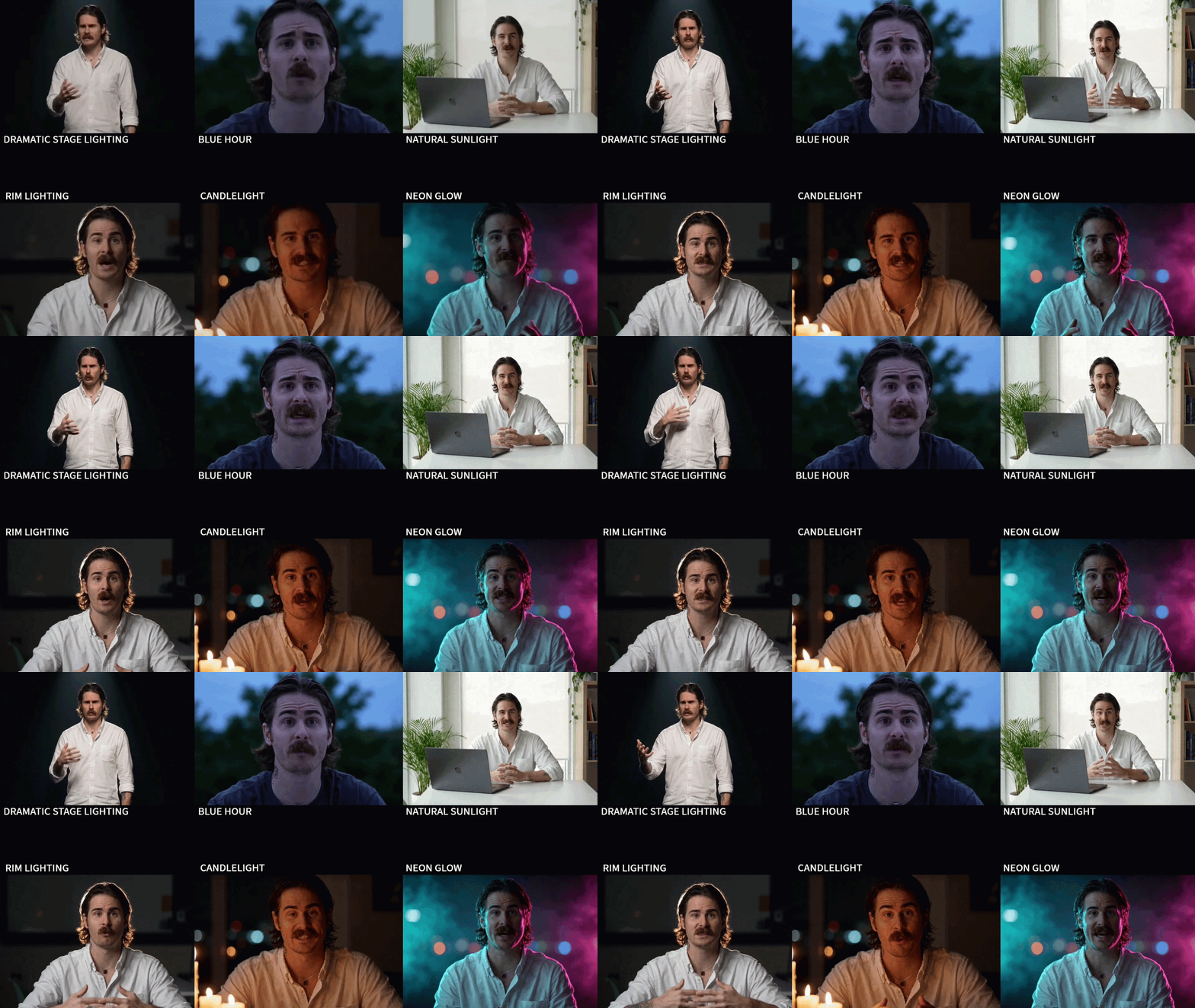
Lighting Type | Mood | Use case |
|---|---|---|
golden hour | Warm, magical, nostalgic | Lifestyle, outdoor, hero shots |
rim light | Dramatic, cinematic | Portraits, action, product |
natural window light | Soft, authentic, clean | Talking heads, UGC, corporate |
overcast | Moody, neutral, grounded | Drama, documentary |
neon | Urban, energetic, bold | Night scenes, music, fashion |
backlit | Silhouette, mystery, contrast | Cinematic, artistic |
candlelight | Intimate, warm, romantic | Lifestyle, mood |
blue hour | Cool, melancholic, cinematic | Outdoor transitions, drama |
soft diffused | Clean, commercial, safe | Product, corporate, talking heads |
dramatic stage lighting | High contrast, performative | Keynote, presentation, music |
Prompts:
DRAMATIC STAGE LIGHTING
High contrast performative lighting from a focused overhead spotlight, sharp pool of light on her face and shoulders, surrounding space falling into deep black, keynote presentation aesthetic, theatrical and bold.
CANDLELIGHT
Warm flickering candlelight from below and camera-left, soft amber glow on her face, intimate romantic mood, deep shadows in the surrounding space, warm orange color temperature, subtle light dance across her features.
BLUE HOUR
Cool melancholic twilight lighting, soft blue ambient wash across her face just after sunset, subtle violet undertones in the shadows, cinematic outdoor transitional mood, low-saturation atmospheric feel
NEON GLOW
Cyan and magenta neon accents lighting her face from opposite sides, dark moody background with soft colored haze, glowing rim accents.
RIM LIGHTING
Bright glowing edge light wrapping around her hair and shoulders from behind, dark background, subtle low fill on the face.
NATURAL SUNLIGHT
Authentic daylight from a window, slight warmth, natural skin tones, soft ambient fill.
Camera movements
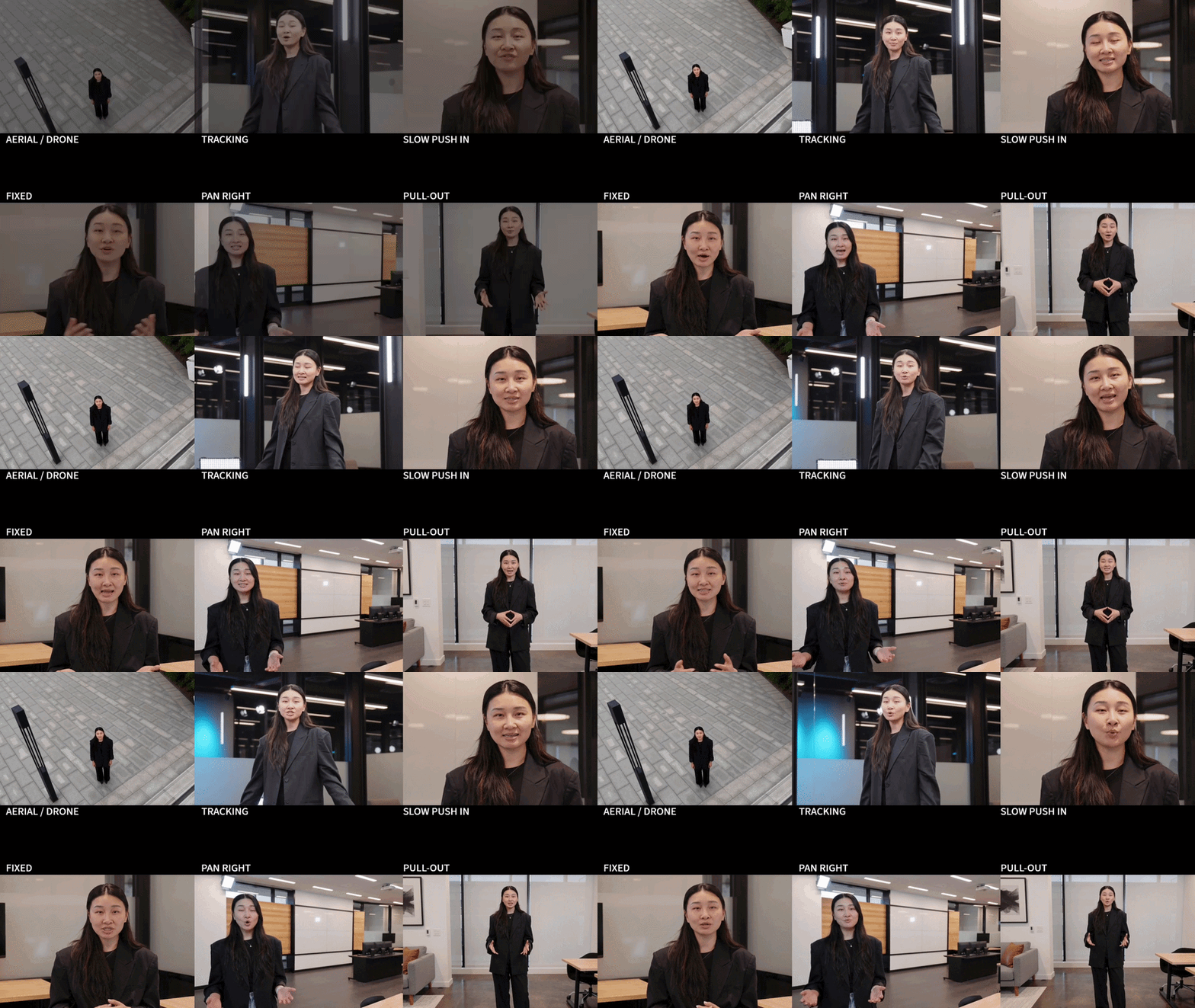
Movement | Use it for | Example prompt phrase |
|---|---|---|
Slow push-in / dolly in | Emotional focus, intimacy | slow push-in toward her face |
Pull-out / dolly out | Reveal context, scale | gradual dolly out revealing the full cityscape |
Pan left / right | Horizontal scanning, following action | slow pan right across the mountain ridge |
Tracking shot | Following subject movement | tracking shot following the runner through the crowd |
Orbit / arc | Product showcase, hero moment | smooth orbit around the subject, 90 degrees |
Aerial / drone | Scale, geography, epic establishing | aerial shot descending slowly toward the rooftop |
Handheld | Realism, urgency, documentary feel | handheld camera, slight natural shake |
Fixed / locked-off | Tension, stillness, stability | camera holds fixed framing |
Prompts:
FIXED / LOCKED-OFF
She stands center-frame. Camera holds fixed locked-off framing at eye level.
AERIAL / DRONE
She stands center-frame looking up. Aerial shot descending slowly toward her.
SLOW PUSH-IN
She stands center-frame. Slow push-in toward her face.
TRACKING SHOT
She walks forward through the studio. Tracking shot following her from the side at medium distance.
PAN RIGHT
She stands frame-left. Slow pan right across the studio.
PULL-OUT
She stands center-frame. Gradual dolly out revealing the full studio space.
Term | Meaning |
|---|---|
Cinematic | Film-like quality: wide aspect, dramatic lighting, shallow depth of field |
Documentary | Handheld feel, natural light, raw and authentic |
Editorial | Fashion/lifestyle: high contrast, stylized, magazine-quality |
UGC-style | User-generated, casual, like a social post |
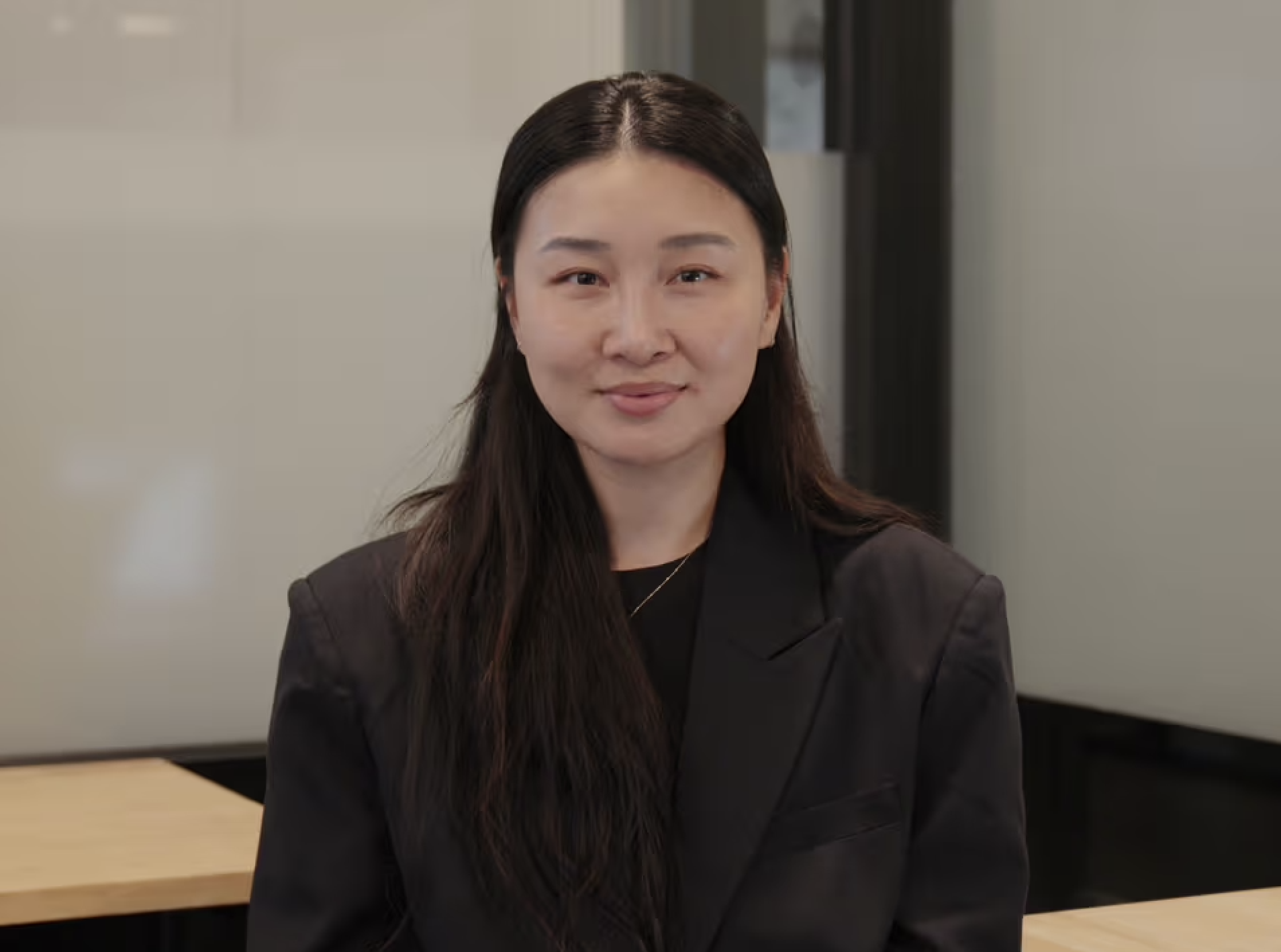
Reference image
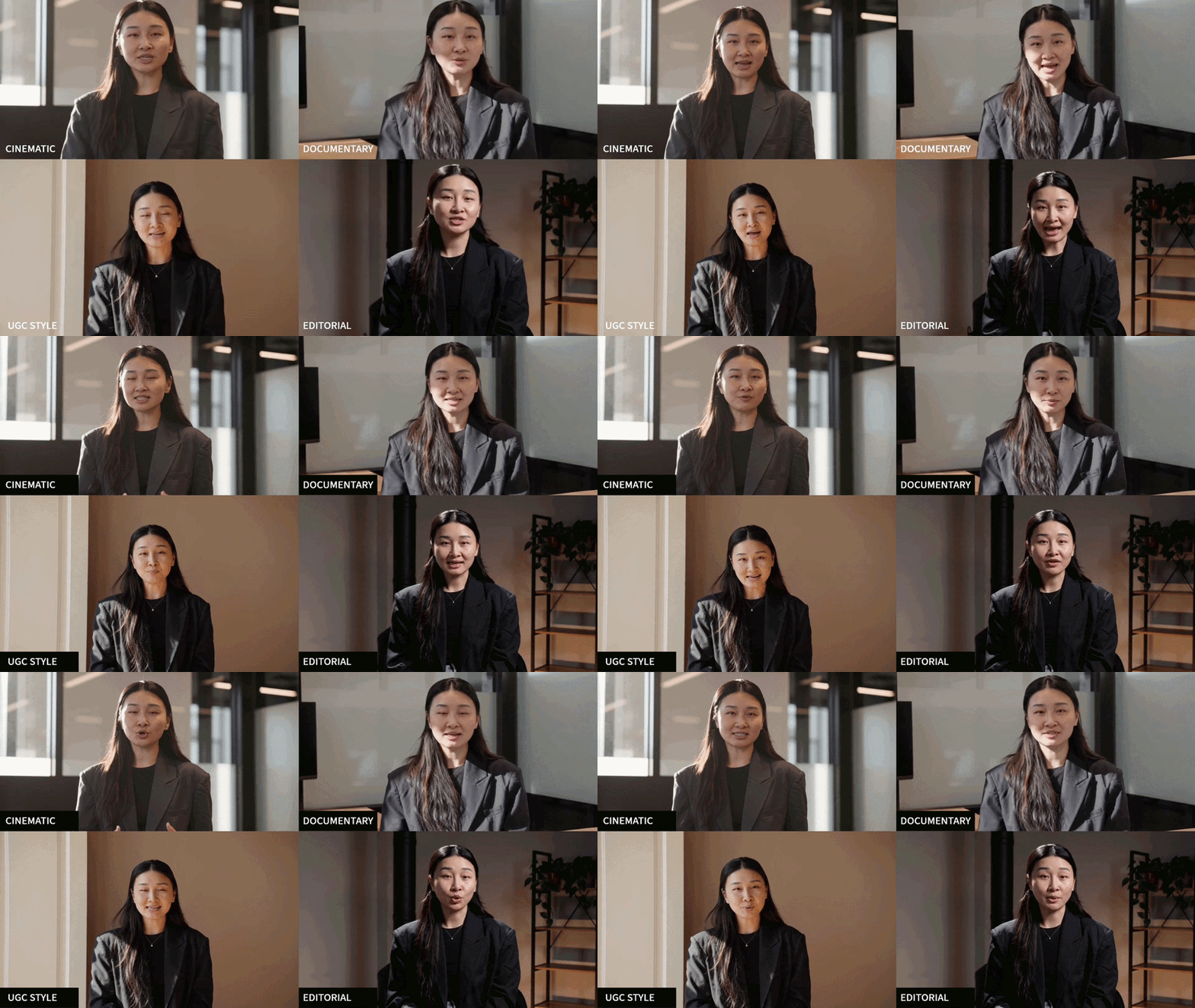
Prompts:
UGC-STYLE
She faces camera with a friendly approachable smile. Casual social-post feel, slightly imperfect natural framing, warm natural window light from camera-left, phone-camera quality look with mild lens softness, peer-to-peer learning vibe, authentic and relatable. Camera at medium shot distance with very subtle natural movement. Ultra-realistic, natural color.
EDITORIAL
She faces camera with a poised confident expression. Polished magazine quality, high contrast lighting with sharp directional key light from camera-left, deep precise shadows, premium thought-leadership aesthetic, refined color grade. Camera holds fixed locked-off framing at medium shot distance. Ultra-realistic, stable composition.
DOCUMENTARY
She faces camera with a natural relaxed expression. Handheld feel with slight natural shake, natural window light from camera-right, raw and authentic rendering, true-to-life skin tones, journalistic learning-in-the-field mood. Camera at medium shot distance with subtle organic drift. Ultra-realistic, documentary realism.
CINEMATIC
Film-like quality, wide aspect framing, dramatic side lighting from a large window camera-left carving soft shadows on her face, shallow depth of field, warm cinematic color grade, subtle volumetric haze catching the light, premium feature-film mood. Camera holds fixed locked-off framing at medium shot distance. Ultra-realistic, smooth motion, stable composition.
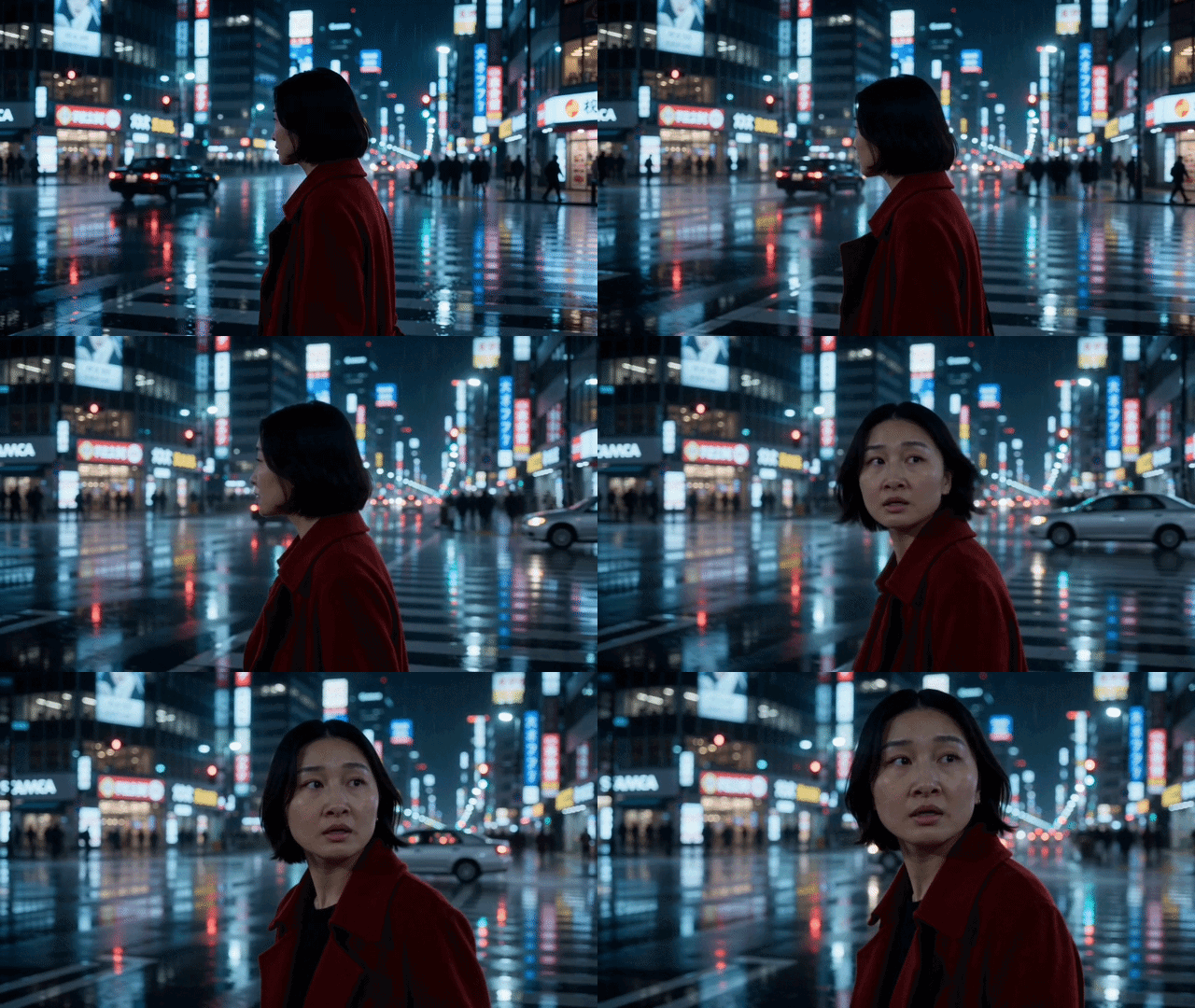
Example: Cinematic scene
Avatar, short black hair, red wool coat, walks briskly through a rain-slicked Tokyo street at night. Neon signs reflect on wet pavement. She glances over her shoulder. Slow push-in. Cinematic, shallow depth of field, film grain, cool blue palette. Smooth motion, stable framing.
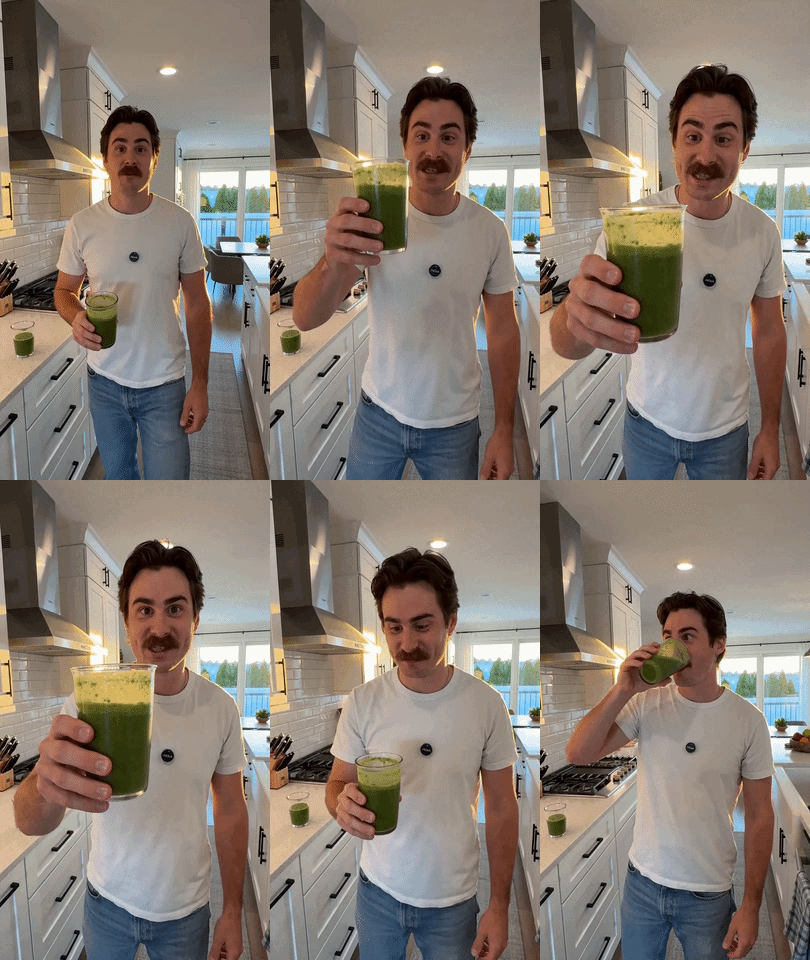
Example - UGC /Lifestyle
Avatar dressed in a casual white t-shirt and jeans, holds up a green smoothie and takes a sip, then smiles at the camera. Bright kitchen, morning sunlight from behind. Handheld, slight natural shake. Warm tones, authentic, documentary style.
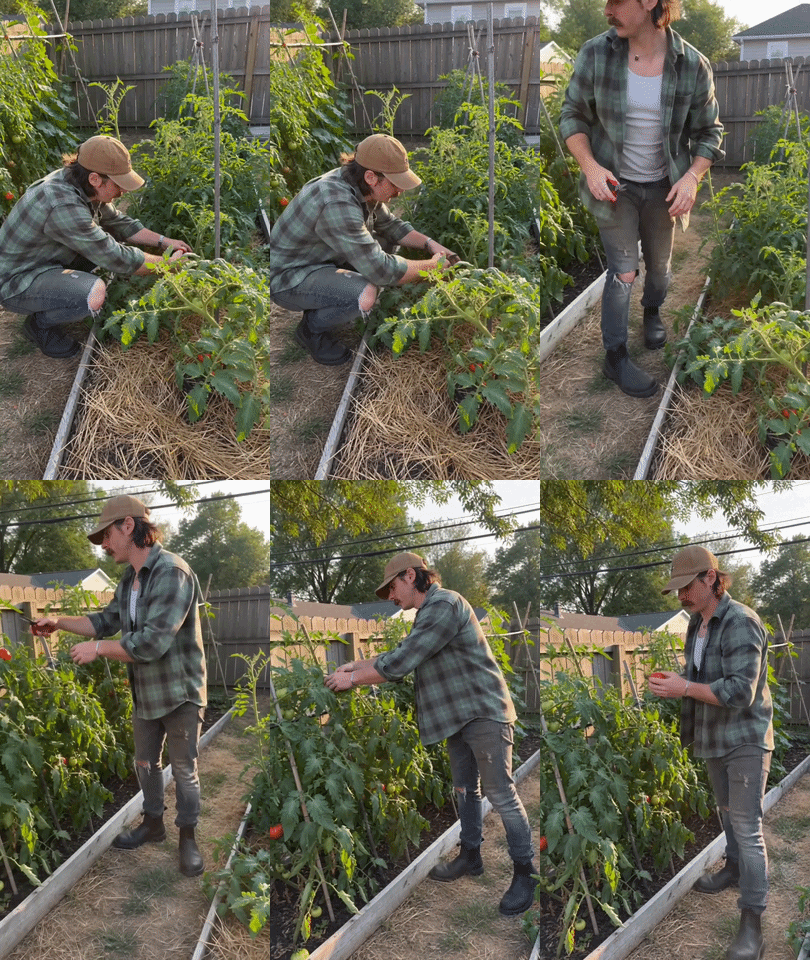
A man in his 30s , wearing a faded green flannel shirt and worn jeans, kneels in a community garden checking tomato plants. Natural sunlight, golden hour warmth filtering through leaves. Handheld camera, slight natural shake follows him as he stands and inspects a ripe tomato. UGC-style, authentic, casual social-post feel. Avoid jitter, keep natural framing.
Example - action scene
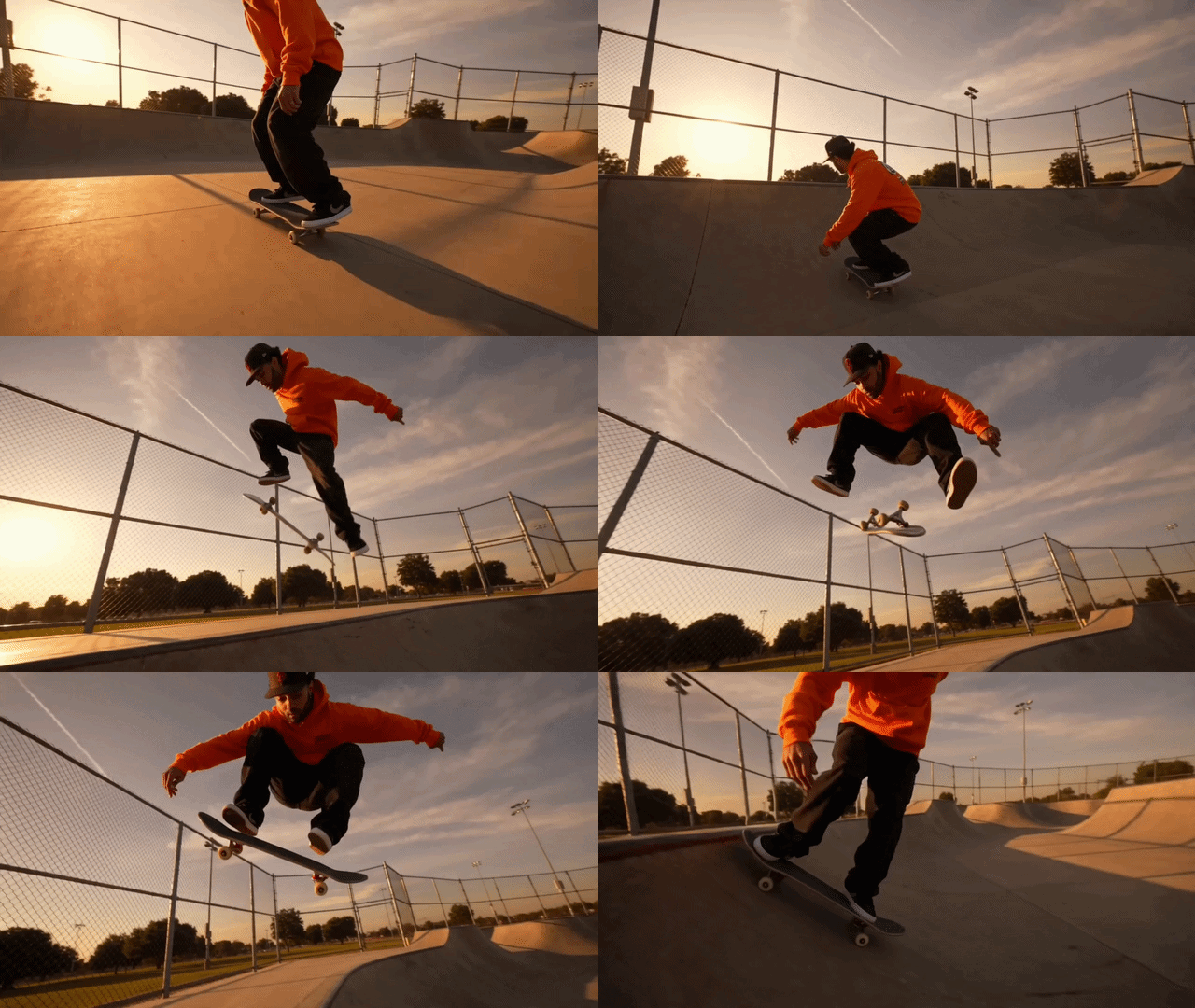
A skateboarder in a orange hoodie launches off a half-pipe and executes a kickflip 10 feet in the air. Skatepark at golden hour, long shadows. Low angle tracking shot following the board. High contrast, vivid colors, slow motion on the peak of the jump.
Example - editorial
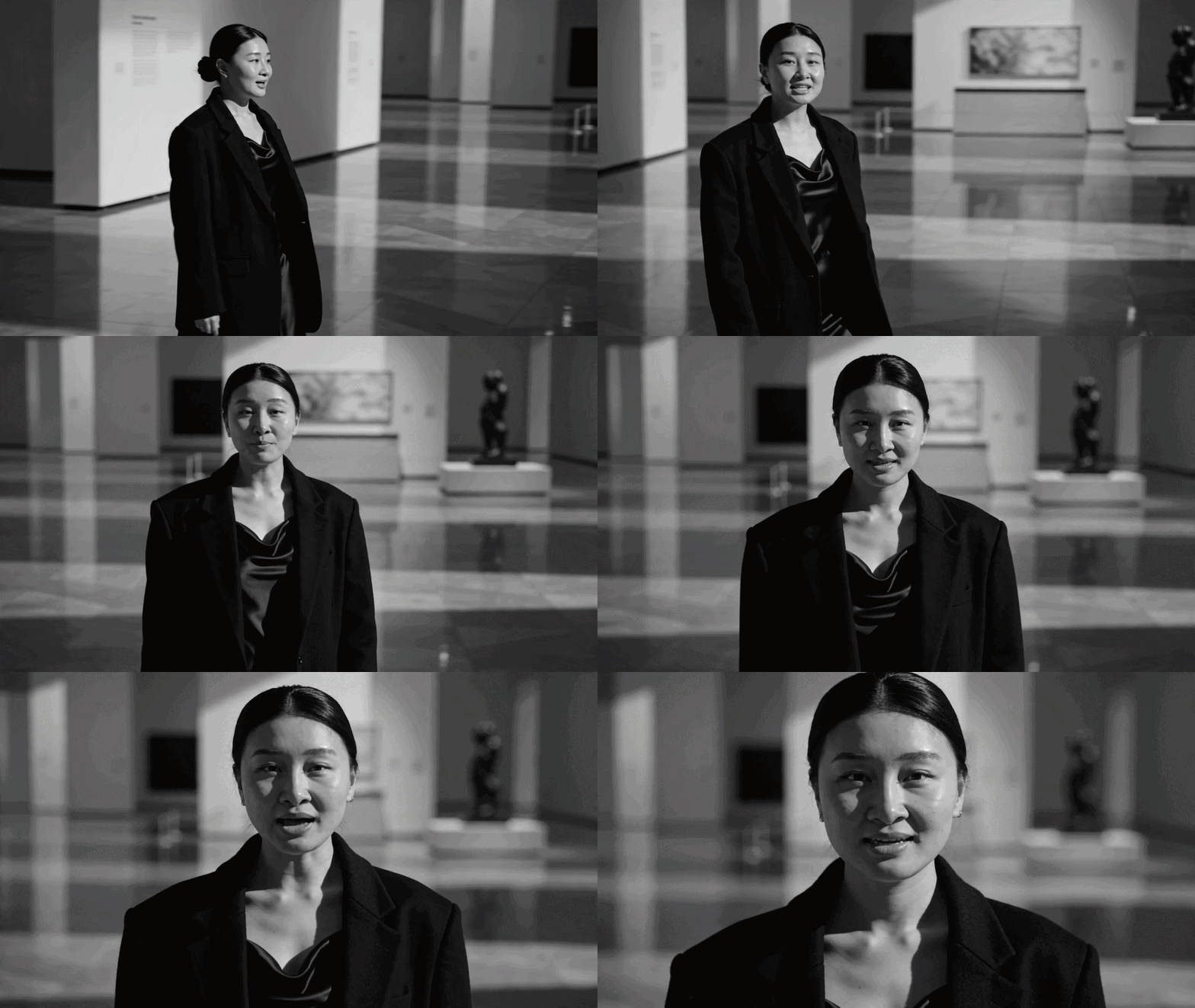
A woman with her hair pulled into a sleek low bun, wearing an oversized black wool blazer over a silk slip dress, walks confidently across a marble gallery floor. Dramatic side lighting carves strong shadows across her face, high contrast editorial mood. Slow push-in toward her face as she turns to camera. Cinematic, shallow depth of field, 35mm film grain. Smooth motion, stable framing.
Prompt + script
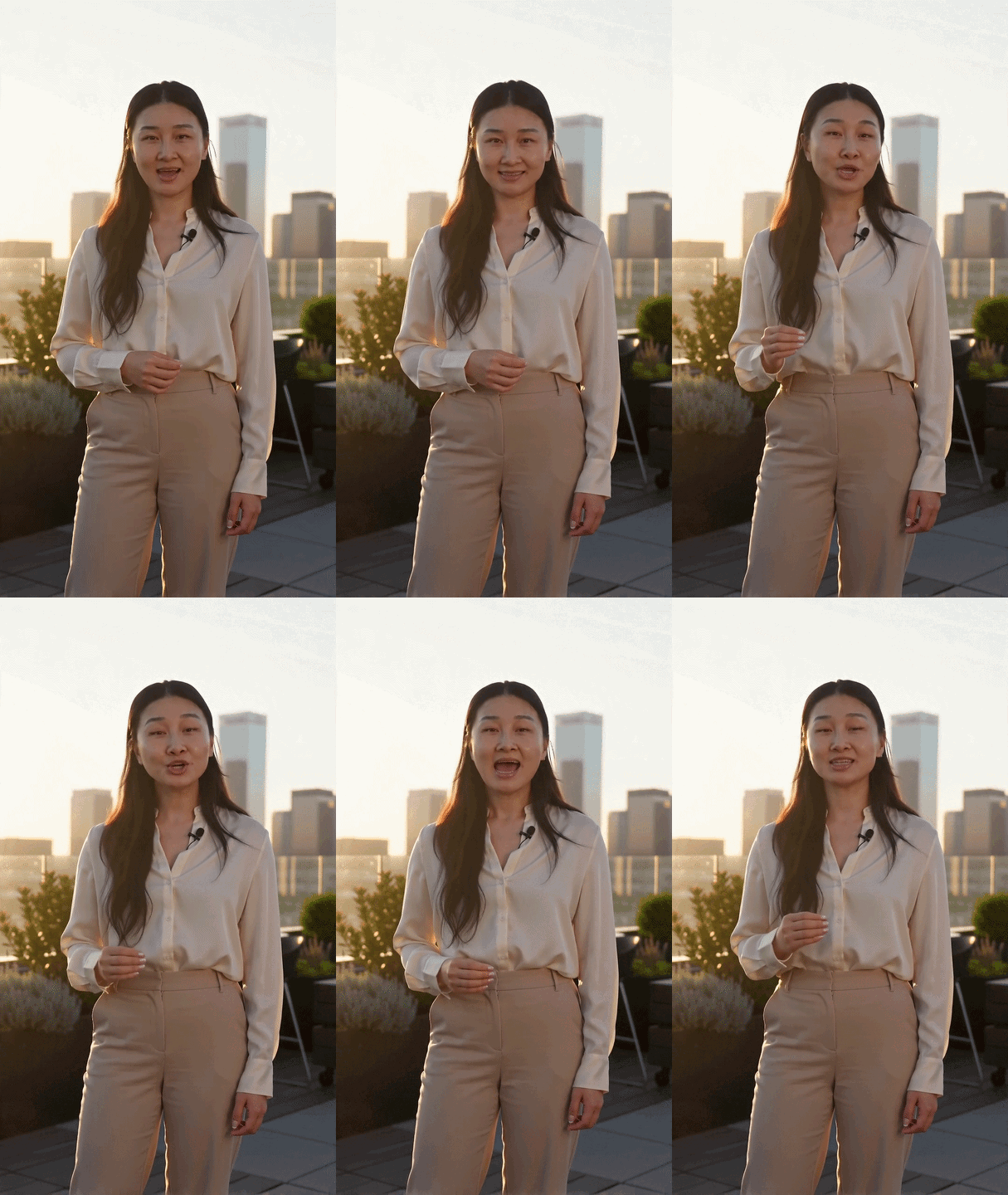
A womans, wearing a cream blouse and tailored beige trousers, stands confidently in a sunlit rooftop garden. Golden hour lighting, warm and soft, romantic glow on her face and hair. Low angle hero shot looking up at her, projecting authority. Cinematic, shallow depth of field. Smooth motion, stable framing. Script: ". Today, you'll learn the three principles that separate good leaders from great ones — and how to apply them starting tomorrow morning."
Avatar + product + background + environment example
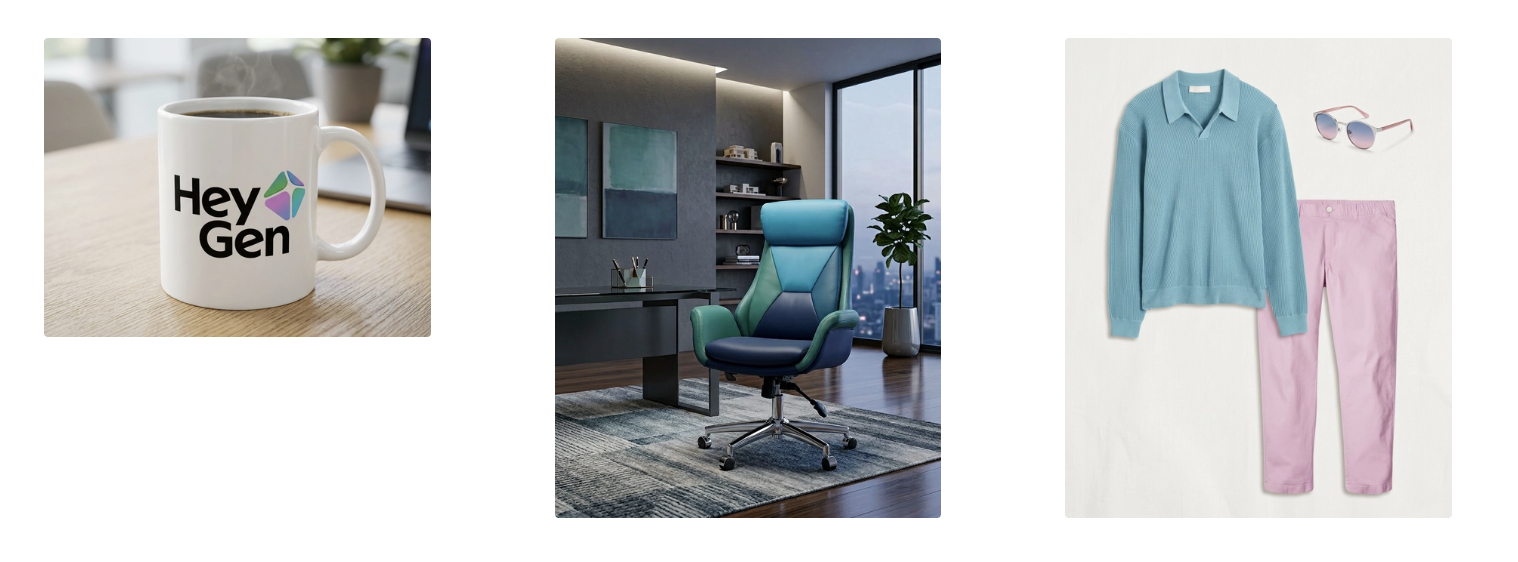
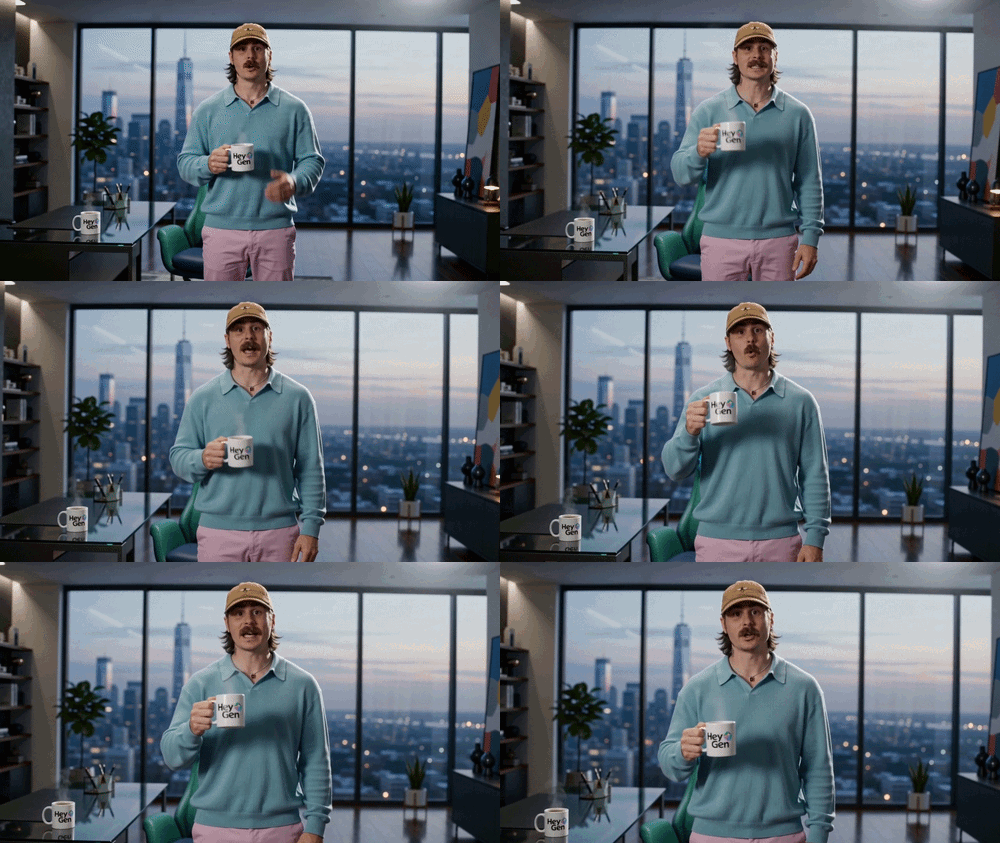
Prompt: An avatar faces the camera in a modern office environment, wearing a pastel outfit while holding a HeyGen mug, speaking with confident and engaging energy. The avatar naturally integrates all elements—lightly gesturing with the mug, maintaining posture that highlights the outfit, and interacting naturally within the workspace. The composition keeps all elements clearly visible without clutter. Slow push-in camera. Cinematic 4K, shallow depth of field, soft balanced lighting, film grain. Smooth motion, stable framing, clear subject separation, accurate lip sync, no distortion. Script: “Great tools, great style, and the right environment—everything works together. That’s how you create faster, smarter, and better.”
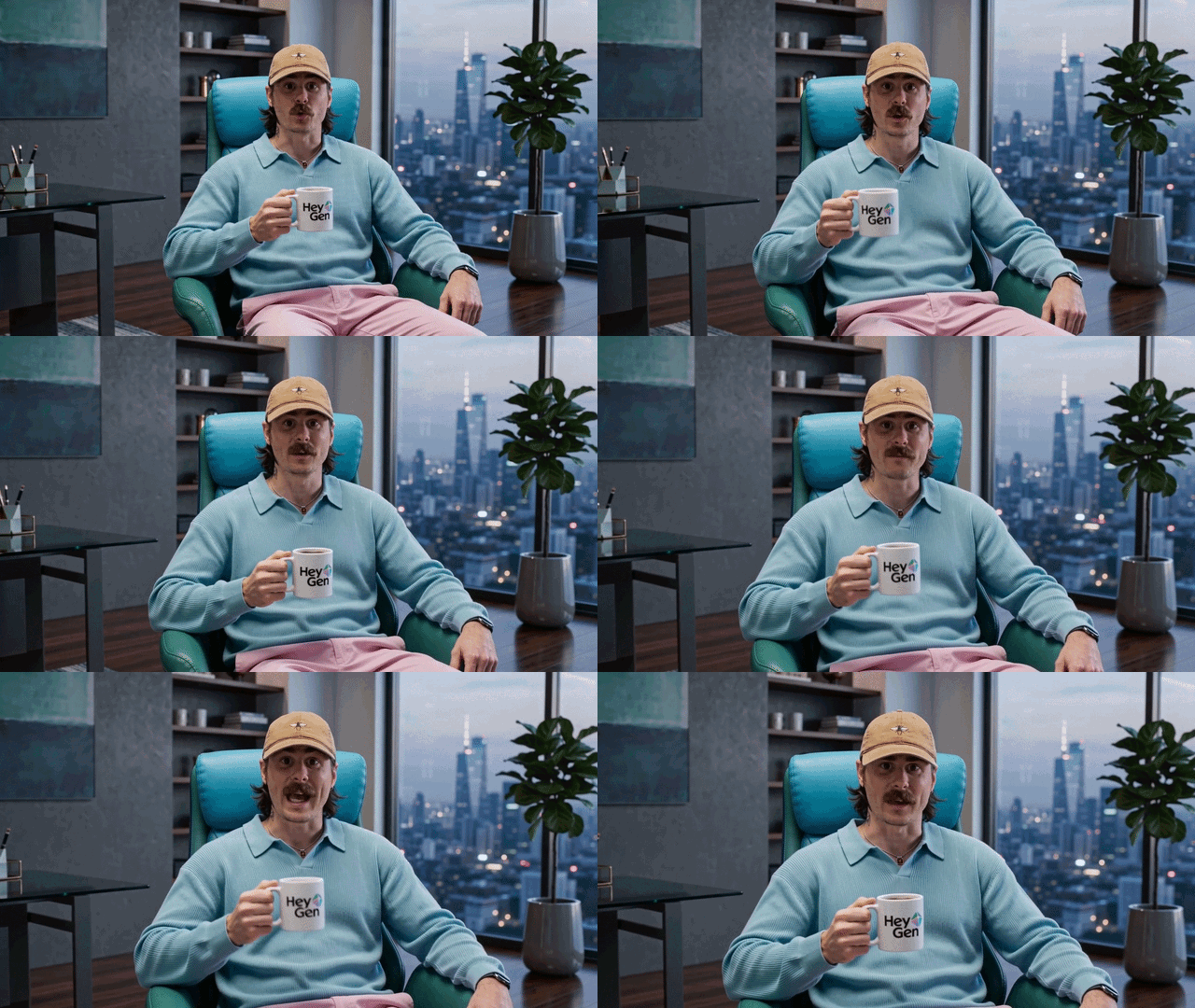
Tip: for consistency across shots, add the same clothing and environment as element references to keep the visual style consistent between scenes.
An avatar faces the camera in a modern office environment, wearing a pastel outfit while holding a HeyGen mug, speaking with confident and engaging energy. The avatar naturally integrates all elements—lightly gesturing with the mug, maintaining posture that highlights the outfit, and interacting naturally within the workspace. The composition keeps all elements clearly visible without clutter. Slow push-in camera. Cinematic 4K, shallow depth of field, soft balanced lighting, film grain. Smooth motion, stable framing, clear subject separation, accurate lip sync, no distortion. Script: “Great tools, great style, and the right environment—everything works together. That’s how you create faster, smarter, and better.”
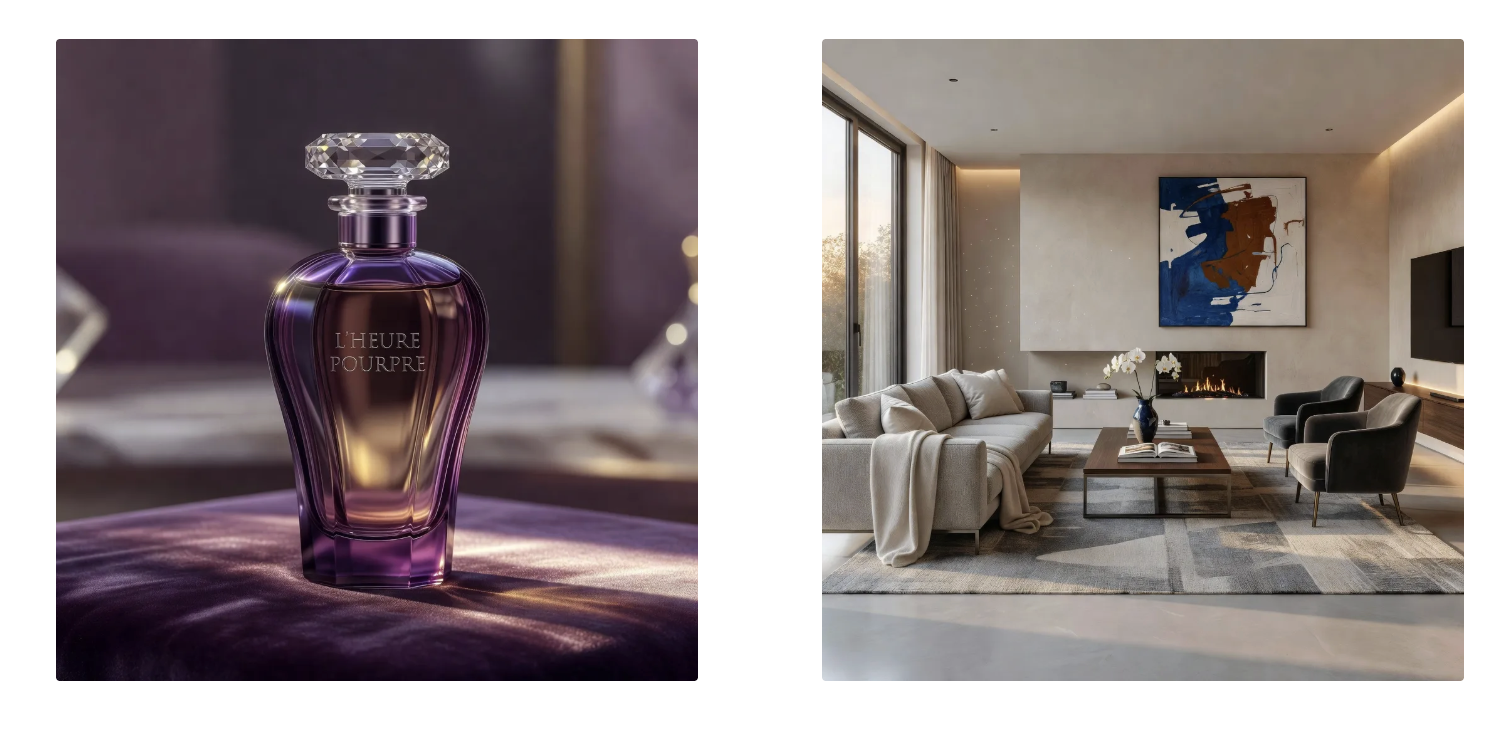
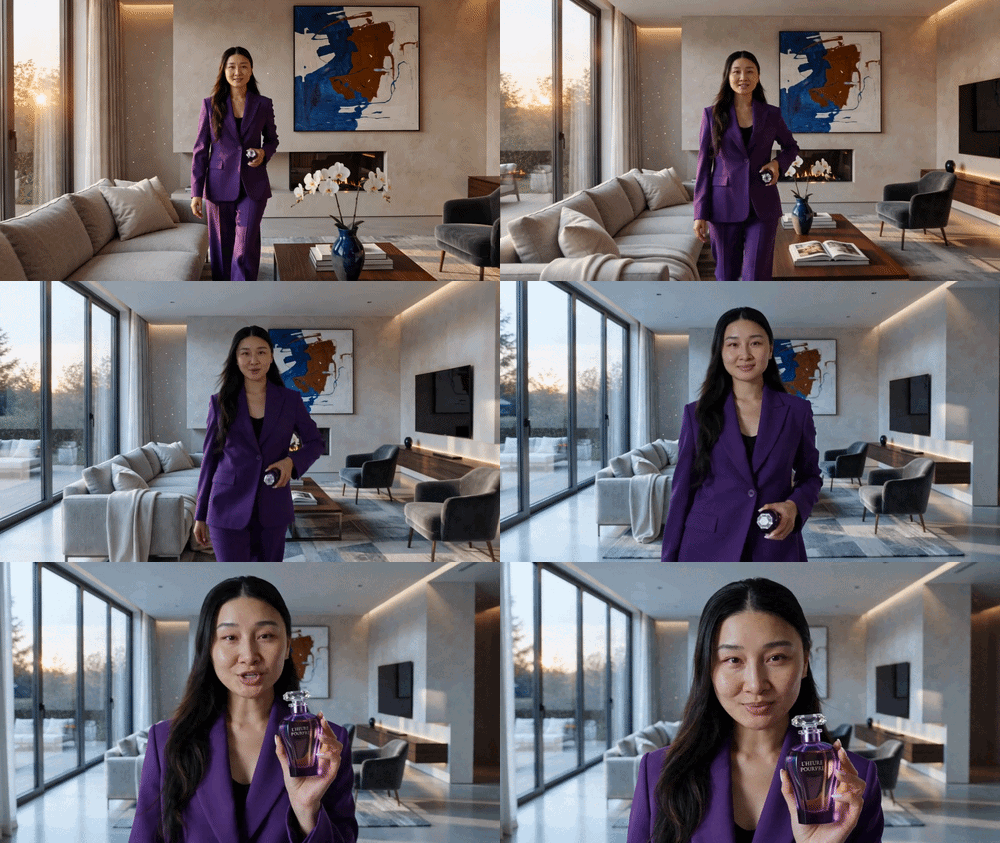
Product + background
Environment: living room, fireplace to window axis. Product: "L'Heure Pourpre" perfume bottle.
12s single shot, 35mm lens, medium-shallow DOF, warm-to-cool lighting shift. Slow dolly-back matches her pace.
She walks forward from the fireplace in the purple suit, bottle at her hip. "Some fragrances announce themselves." Mid-walk, raises bottle from hip to chest in one smooth motion, rotates it — logo comes to camera. Stops in foreground, bottle at chest, head tilt, subtle raised eyebrow. "Others... wait for you." Fade.
Critical: natural walking gait with real weight transfer, logo stable during motion, suit color locked across lighting shift, no identity drift over 12s, camera dolly smooth.
SCENE 1
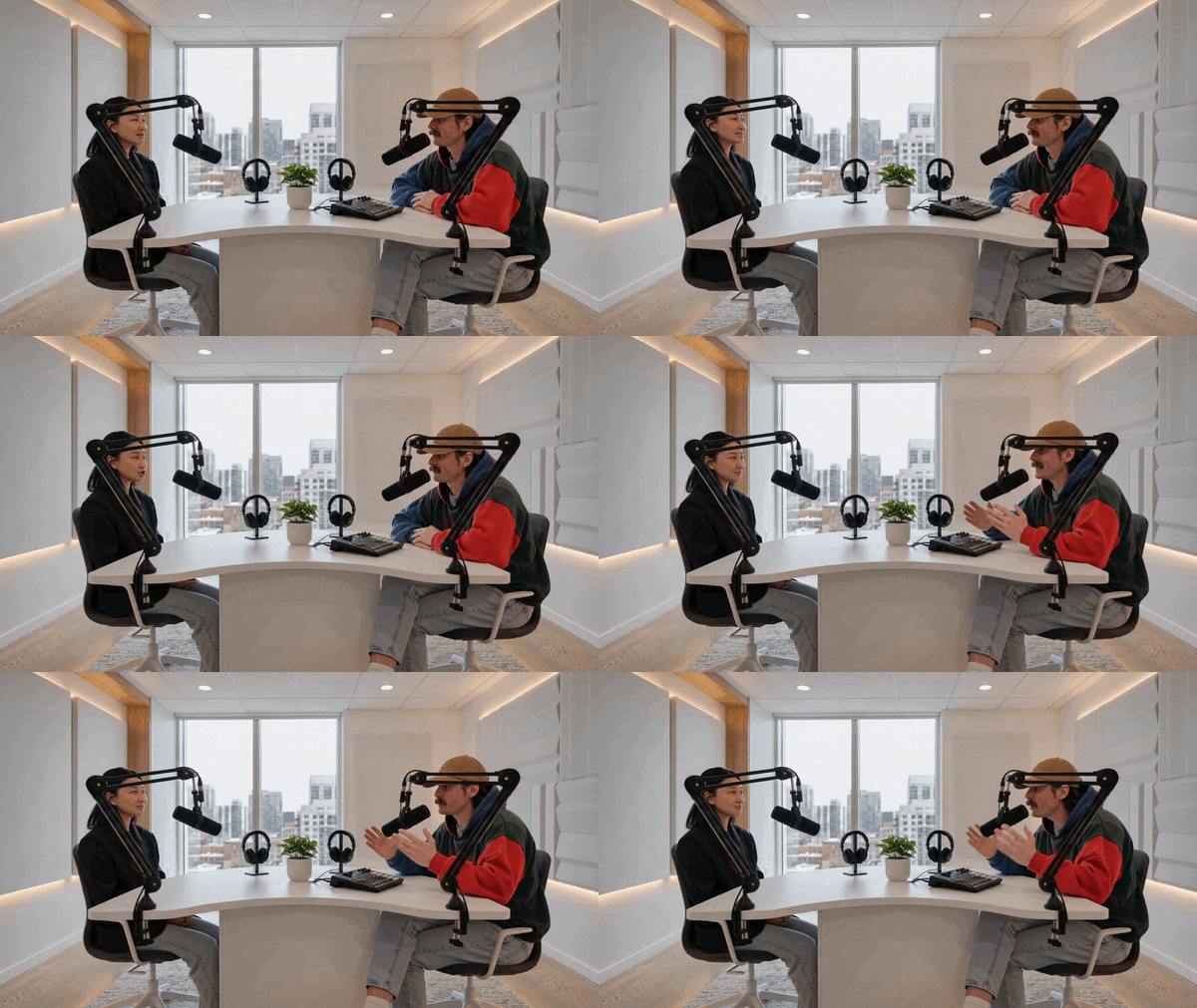
Prompt: Two avatars sit across from each other in a modern podcast studio with microphones and a clean, softly lit background. They engage in a natural conversation, taking turns speaking and reacting with subtle head movements and hand gestures. One avatar speaks first: “So what do you think is the biggest shift happening right now?” The second avatar responds thoughtfully: “Honestly, it’s how fast content is evolving—everything is becoming more dynamic and accessible.” They maintain eye contact with each other.
SCENE 2
Prompt: The first avatar nods and follows up: “Yeah, and it feels like everyone is expected to create now, not just consume.” The second avatar leans slightly forward and replies: “Exactly—and the barrier to entry is basically gone. Anyone with an idea can bring it to life.
Tip: Script vs Voice-Over Prompting
The key difference is whether your avatar's mouth is speaking or not.
Use voice-over when you want cinematic action without direct speech. Use script when your avatar needs to deliver a message directly. Never mix both in the same prompt — it may not work well.
Prompt: An avatar dressed professionally sits in modern office environmentht. The avatar begins by writing notes while speaking, then stands up and continues talking while walking toward a nearby window, finally pausing and finishing the message while looking outside. t. Slow push-in camera with slight tracking following the avatar toward the window.
Script: “Success today is about clarity, speed, and execution. The right mindset—and the right tools—make all the difference.”
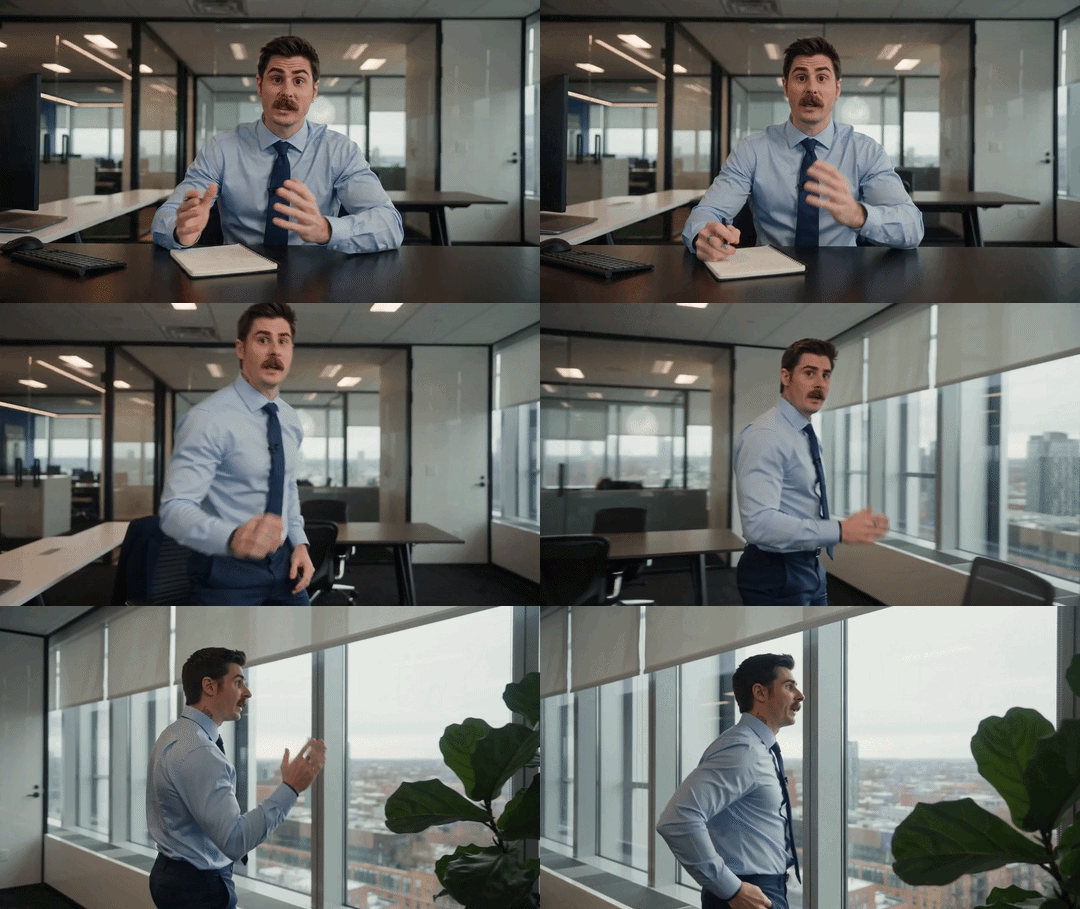
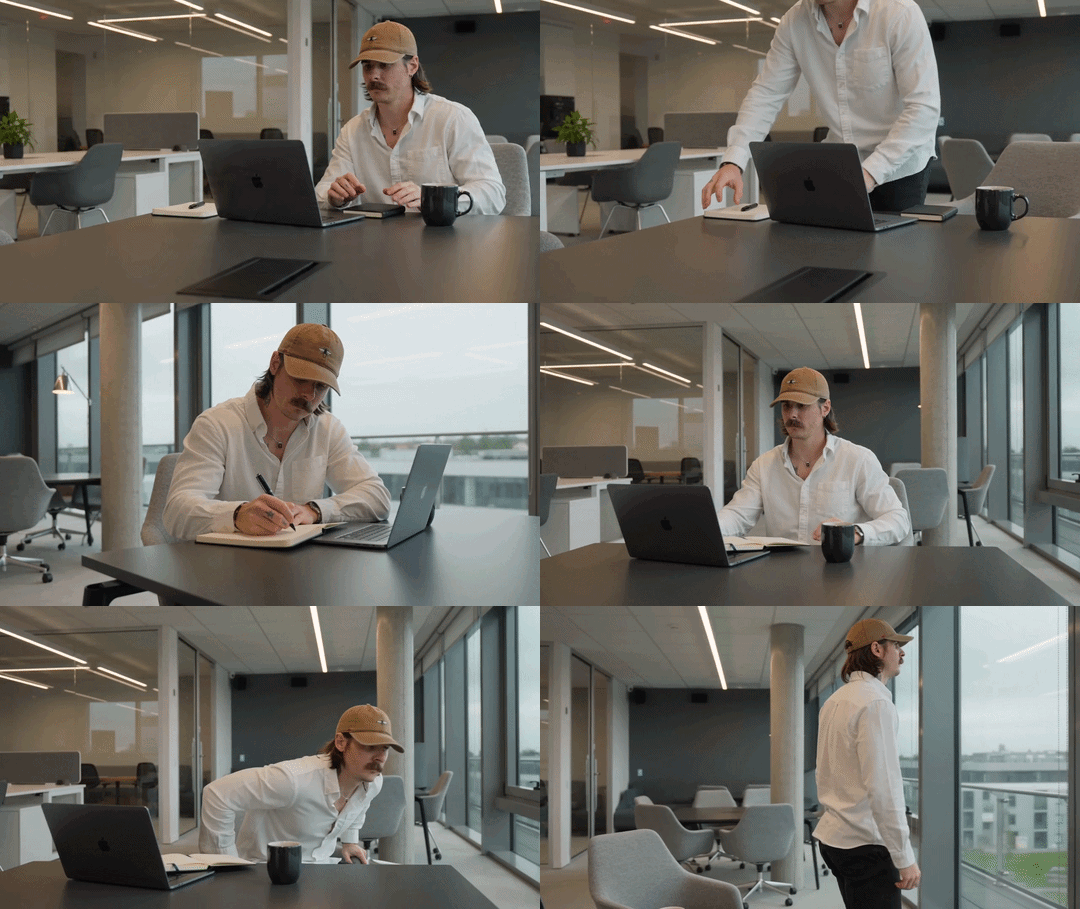
Prompt: An avatar dressed professionally sits in a modern office environment with a clean desk, designer chair, and soft natural window light. The avatar begins by writing notes on a notebook, then pauses, stands up, and walks toward a nearby window while looking outside.
Voiceover: “Success today is about clarity, speed, and execution. The right mindset—and the right tools—make all the difference.”
Multi language
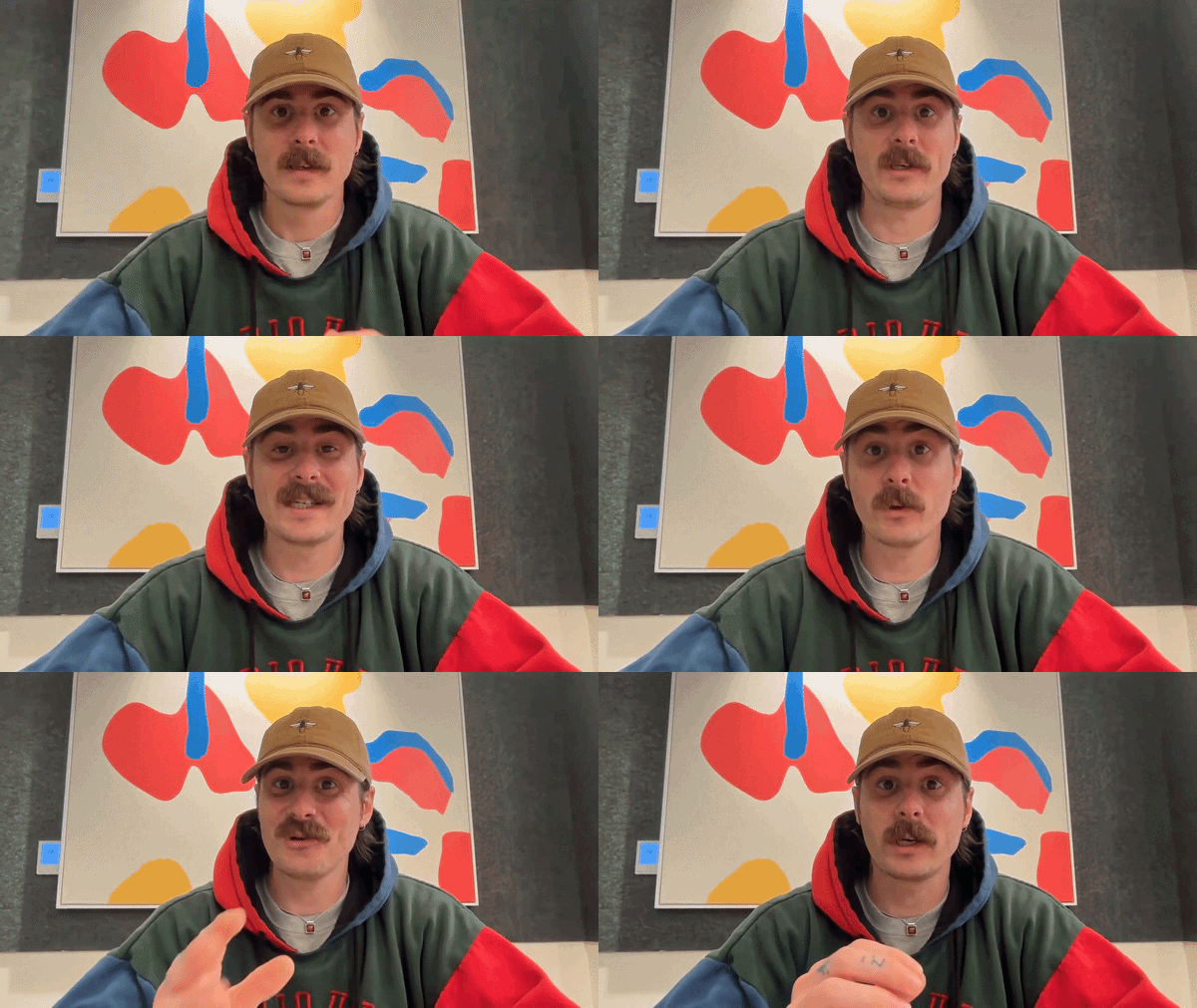
Prompt Medium shot — static Avatar seated, facing camera. Friendly, teacher-like tone. Subtle hand gestures. Avatar (English): "Let’s learn a simple phrase in Spanish." (small pause, slight smile) Avatar (Spanish): "La comunicación es clave." (brief pause for comprehension) Avatar (English): "That means: communication is key." (slight gesture, encouraging tone) Avatar (English): "Now you try." (short pause) Avatar (Spanish, slower pronunciation): "La… comunicación… es clave." 💡 Optional Extension (to make it richer) Avatar (English): "Simple, right?”
Multiple shots with different camera angles in single generation
Example prompt: "An avatar dressed professionally is in a clean, modern office environment with a desk and soft natural window light, visible throughout the sequence.
[0s–5s]: Frontal view — medium shot, slight push-in. The avatar faces the camera directly and begins speaking: "But turning ideas into something real?"
[5s–10s]: Side profile — medium shot. The camera shifts to a clean side angle as the avatar continues with a more focused tone: "That takes focus… and the right tools."
[10s–15s]: Wide shot — dolly out. The camera pulls back, revealing more of the workspace as the avatar finishes: "Because execution is what actually makes the difference."
Cinematic 4K, shallow depth of field, soft natural lighting, subtle film grain. Smooth transitions between angles, stable framing, consistent identity across shots, accurate lip sync, no distortion."
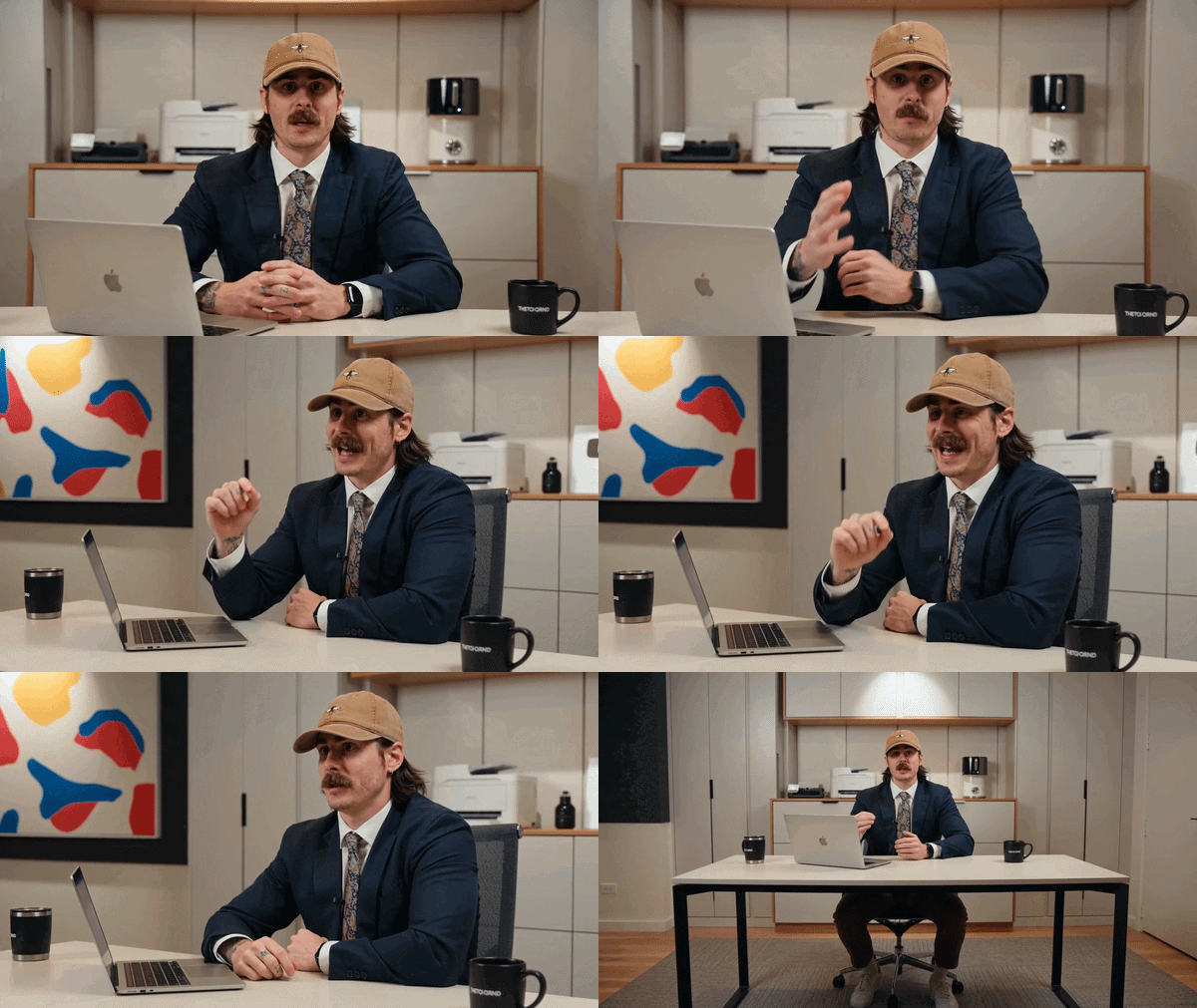
Tip: Use timestamps [0s–5s] to clearly define each shot. Always describe the environment once at the top and reference it throughout to keep consistency across all shots.
Multi scene - background + clothing change
[Global style: cinematic, realistic lighting, shallow depth of field, smooth motion, high-end film look]
Dialogue (natural pacing, confident, continuous): “We started small…
figuring things out as we went.
Then we built something real…
step by step.
We grew beyond one place…
and now… we’re building everywhere.”
[0s–3s: Medium shot — front-facing tracking | HOME] A modern apartment workspace. Soft morning light, laptop, notes, slightly messy desk.
He walks slowly toward camera, face centered, direct eye contact.
“We started small…”
[3s–6s: Environment morph | STARTUP OFFICE] Without cutting, the space expands into a small startup office:
- whiteboards appear
- 1–2 people working
- more structure
Outfit subtly upgrades (smart casual).
“…figuring things out as we went.”
[6s–9s: Environment morph | CORPORATE OFFICE] The environment evolves into a sleek corporate office:
- glass walls
- multiple desks
- brighter, cleaner lighting
Outfit → tailored blazer / full professional look.
“Then we built something real…
step by step.”
[9s–12s: Environment morph | GLOBAL CITY] The background transforms into a rooftop in an international city (Tokyo / Dubai / NYC skyline):
- wind movement
- dynamic skyline
- cinematic lighting
Outfit becomes more elevated, global, fashion-forward.
“We grew beyond one place…”
[12s–15s: Environment morph | FUTURE / INNOVATION SPACE] Final transformation into a futuristic innovation environment:
- subtle holographic UI
- sleek architecture
- cool-toned lighting
Camera slowly pushes in to close-up.
“…and now… we’re building everywhere.”
He holds eye contact, slight confident smile.
Timeline prompting (Multi-beat videos)
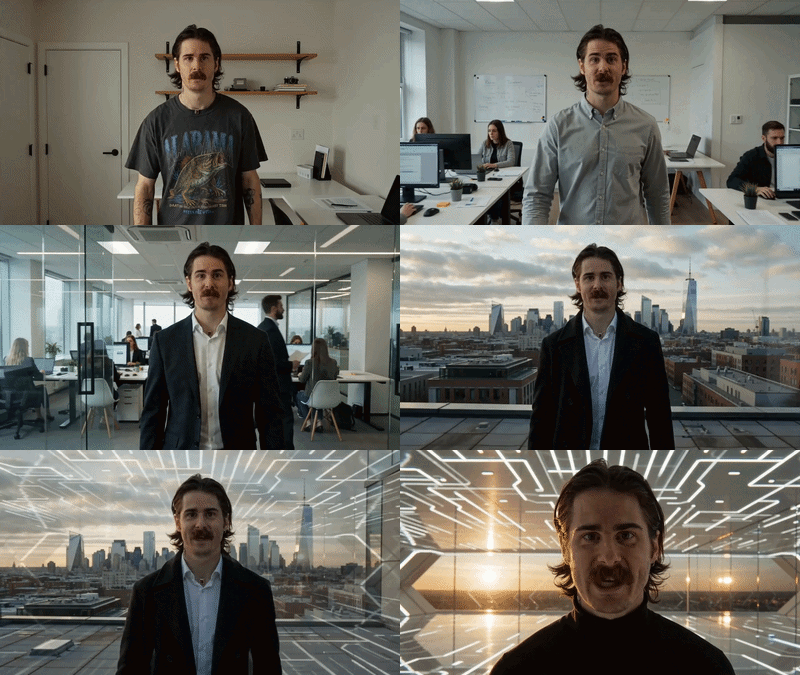
For 10–15 second generations, break the video into time-coded segments. Each segment = timestamp + shot type + camera + action.
Rule: 3–5 beats per generation. One camera move per segment. Always include a global style block.
Template
Example — Brand Story Video
Example — Product Launch
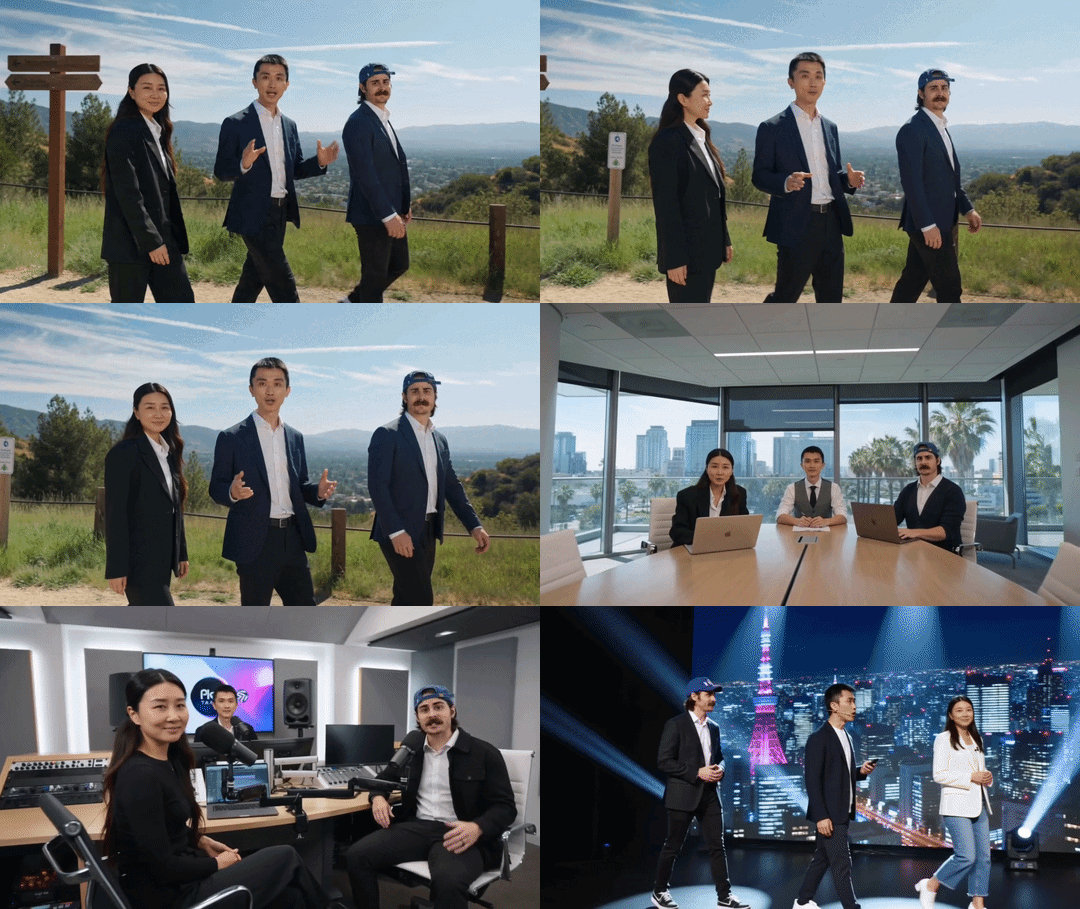
Multi scene + multi-avatar
The three are standing in business attire on the swiss alps. Medium to wide camera angle full camera sweep from left to right, the characters follow the camera as it sweeps. Brandon says "Place your team in any environment in real life OR in your imagination." The scene hard cuts to the three people in different outfits, sitting in a boardroom in dubai. The camera does a medium fast dolly in, Holly says "You could be in a boardroom in Dubai."* The scene hard cuts to the three people in different outfits again sitting in a modern podcast studio, The camera is higher up angled down and does a fast crane movement down from right to left, Josh says "Or record inside of a podcast studio.* Hard cut to a new scene, they are on a stage. the camera is sweeping its a medium shot Josh says Or giving a presentation on a stage in Tokyo.
Seedance: Restrictions & limits
Technical Limits
- Maximum 3 avatars per scene
- Maximum 3 reference images (elements) per generation, elements cannot include a human face; supported types are products, environments, clothing, and similar non-human assets
- Maximum duration: 15 seconds per generation
- Audio upload: not supported as an input element
- No negative prompts
Avatar Access
- Only Digital Clone avatars with uploaded consent are currently supported
Content Policy
Seedance will block prompts or outputs that include:
- Content involving minors or youth-related terms
- Sexual or explicit content
- Violence or gore
- Hate speech
- Copyrighted IPs or celebrity likenesses
- Realistic risky poses
Quality checklist before you generate
Before clicking generate, run through this list:
- Did I describe the setting, mood, and lighting?
- Did I specify camera movement?
- Did I describe the audio I want?
- Did I use Script or Voice-Over (not both)?
- Did I add element references for product, clothing, or environment if needed
- Did I define timestamps if using multiple shots?
- Did I name the visual style or vibe?
Comments (0)
Popular

Dive in
Related
Guide
How to use Avatar Shots with Seedance in HeyGen to create cinematic AI videos
Apr 7th, 2026 • Views 2.4K
Video
HeyGen ambassador spotlight: Mastering multi-avatar videos & Avatar Shots
Aug 17th, 2026 • Views 249
Guide
How to use Avatar Shots with Seedance in HeyGen to create cinematic AI videos
Apr 7th, 2026 • Views 2.4K
Video
HeyGen ambassador spotlight: Mastering multi-avatar videos & Avatar Shots
Aug 17th, 2026 • Views 249