

Tutorial
March 12, 2024 · Last updated on April 23, 2025
How to create success story and testimonial videos with HeyGen
# Tutorial
-
Success stories and testimonials build credibility and trust by showcasing real experiences with your product or service. AI-powered, lifelike avatars allow businesses to share impactful case studies and customer testimonials at scale while maintaining authenticity. Whether highlighting a customer's transformation, a business milestone, or an industry success, AI avatars make storytelling engaging, professional, and visually compelling.
Why use AI avatars for success stories and testimonials?
Increase engagement by using avatars with natural speech and expressions to make customer stories feel personal.
Scale content effortlessly by transforming written case studies and testimonials into high-quality video narratives.
Enhance credibility by incorporating customer insights, product impact, and measurable results with engaging visuals.
Localize and personalize success stories by offering testimonial videos in multiple languages for global audiences.
Reuse and repurpose testimonial content across websites, social media, and sales presentations to maximize reach.
Step 1: Plan your success story content
Before creating your video, determine its purpose:
- Customer success stories for products or services: Showcase real users who have benefited from your offering.
- Case study videos: Highlight data-driven results and strategic insights from a company or client perspective.
Leverage AI tools like HeyGen’s scriptwriting assistant to craft a structured and engaging success story. Not sure where to start? Here’s a sample structure for a 60-second success story video:
Opening (0-10 seconds) – introduce the customer and challenge
Script/Text On-Screen: “Meet [Customer Name/Company], who faced [specific challenge] before discovering [Product or Service Name].”
Middle (10-40 seconds) – showcase transformation and key results
Visual: Before-and-after comparisons, statistics, or real-life examples.
Script/Text On-Screen:
- “Before using [Product], [Customer] struggled with [Pain Point].”
- “After implementing [Solution], they saw [Key Benefit], improving [Result].”
- “The impact? A [Metric-Driven Outcome], leading to better [Success Area].”
Closing (40-55 seconds) – call to action and customer endorsement
Visual: Call-to-action text like “Join Our Happy Customers” or “See How It Works.”
Script/Text On-Screen:
- “[Customer] couldn’t be happier with the results. Are you ready to experience the same success?”
- “Try [Product] today and see the difference for yourself!”
End screen (last 5 seconds)
Visual: Brand logo, CTA button (e.g., “Learn More” or “Request a Demo”), and website link.
Pro tip: Keep success stories concise, focusing on measurable impact and relatable storytelling.
Step 2: Choose your AI avatar
HeyGen offers a wide range of avatars to bring customer testimonials to life with professionalism and authenticity. Whether you need a business executive, a satisfied customer, or an industry expert, HeyGen has avatars to match your testimonial style.
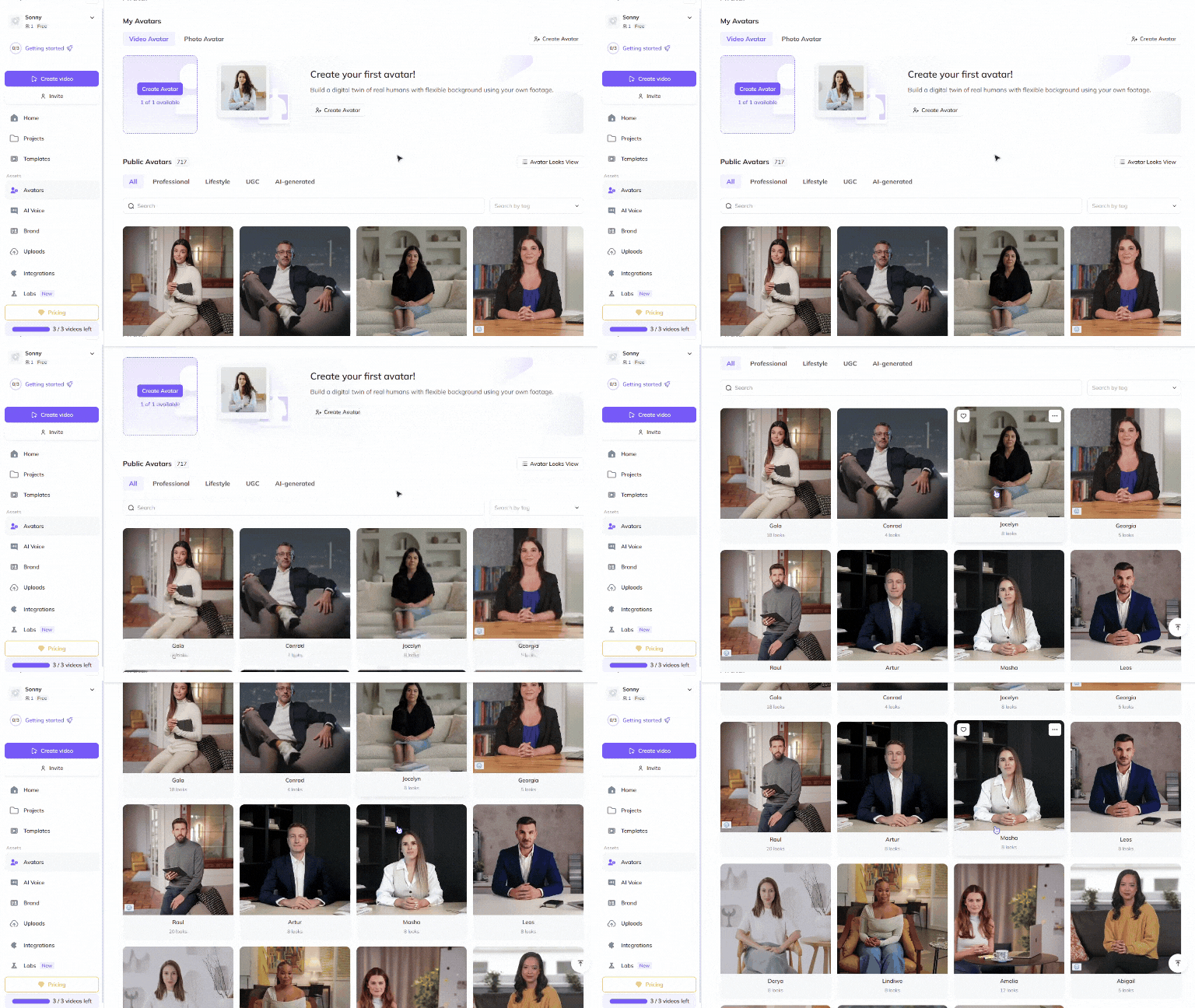
Choose a Public Avatar from HeyGen’s extensive library, featuring 700+ voices compatible with 170+ languages and dialects. Each Public Avatar also comes with multiple Looks, offering different professional and casual styles to match your testimonial content.
For a more personalized approach, business leaders and customers can use HeyGen’s Custom Avatar feature to create a digital twin from their own photos and videos. For the best output, check out our Best Practices for creating AI avatars and voices . You can even customize your avatar’s look with our Generate Looks tool to align with your brand identity.
Want something unique? Explore the option to generate an avatar from text , allowing you to create avatars suited for different customer personas, industries, or testimonial formats.
Step 3: Create different types of success story videos
Customer testimonials, case studies, and impact-driven success stories showcase real-world value and inspire new prospects. These structured videos provide tangible proof of your product’s effectiveness.
Customer success stories
Goal: Showcase real users who benefited from your product or service.
Best format: 60-120 seconds
Key elements:
- Introduction to the customer and their challenge.
- Transformation using your product or service.
- CTA: Encourage viewers to try your solution.
Case study videos
Goal: Highlight measurable business results and ROI.
Best format: 90-180 seconds
Key elements:
- Overview of the client’s problem and strategy used.
- Data-driven insights, charts, and before-and-after results.
- CTA: Direct viewers to a full case study or demo request.
By incorporating these different types of success story videos, you can effectively demonstrate value and build trust with potential customers.
Step 4: Enhance your video with visuals and animations
Visual storytelling is crucial for product explainer videos, and HeyGen makes it easy to design engaging scenes. To get started, see this step-by-step guide on how to create and edit videos in HeyGen . Polish your video to perfection with HeyGen’s intuitive editing tools. HeyGen uses a text-based editor to ensure your scenes, text and transitions align perfectly with your script.
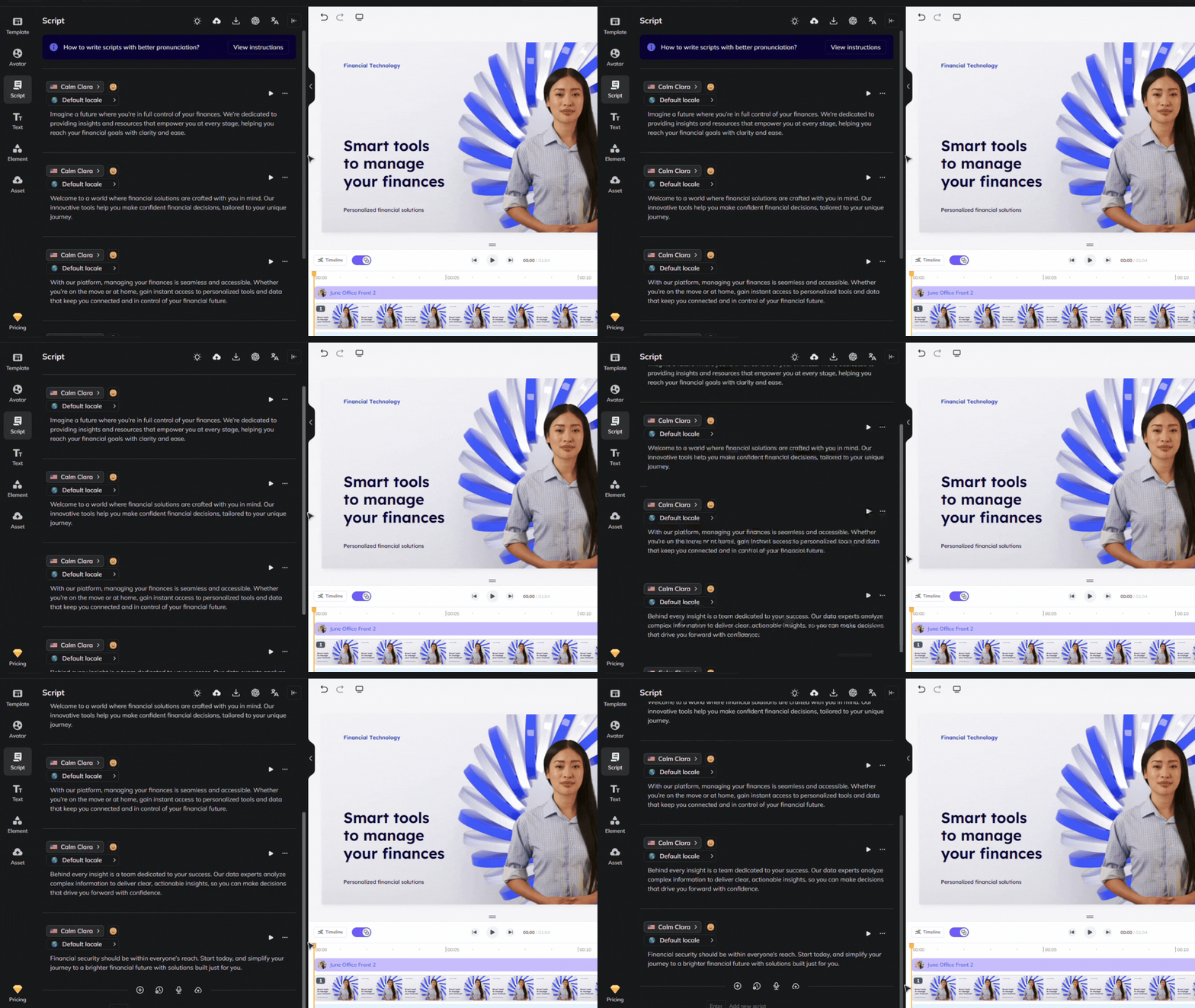
Don’t miss our scripting tips which can help ensure accurate pronunciation and pauses for a natural flow.
Browse HeyGen’s extensive library of professionally designed templates or create your own to match your brand’s unique look and feel.
Upload assets such as product images, videos, animations, music, or screen recordings that illustrate your product’s key features.
If your video is designed to promote a product, check out our Product Placement guide , which walks you through how to create an avatar holding products of your choice.
Step 5: Distribute your video effectively
Once your video is complete, distribute it across multiple platforms:
Upload to your website’s testimonial or case study page to showcase customer success.
Share on LinkedIn, YouTube, and Instagram to attract new prospects and engage your audience.
Incorporate into sales presentations, email campaigns, and product landing pages for added credibility.
Bonus tips
- Keep it authentic: Use real customer quotes and measurable results.
- Focus on impact: Highlight the transformation and benefits clearly.
- Use different avatars: Showcase diverse customer perspectives to resonate with different audiences.
- Optimize for different platforms: Adjust video length and format for social media, websites, and email marketing.
By integrating lifelike avatars into your success story strategy, you can engage prospects, build trust, and scale customer storytelling effortlessly. AI-powered avatars make testimonial videos more accessible, consistent, and visually compelling. Start creating AI-driven success stories today and showcase the real impact of your product or service!
Comments (0)
Popular

Dive in