

Tutorial
March 12, 2024 · Last updated on April 23, 2025
How to use HeyGen for HR and onboarding training
# Tutorial
-
A strong onboarding process sets employees up for success from day one. AI-powered, lifelike avatars enable HR teams and managers to create engaging, scalable, and professional onboarding training without needing to appear on camera. Whether introducing new hires, explaining team-specific roles, or sharing company culture and policies, AI avatars make onboarding consistent, interactive, and visually compelling.
Why use AI avatars for onboarding training?
Increase engagement by using avatars with natural speech and expressions to create an informative and welcoming experience.
Ensure consistency in training by standardizing onboarding materials across different departments and locations.
Scale training effortlessly by repurposing onboarding content for new hires, role-specific training, and refresher courses.
Localize onboarding content for a diverse workforce by providing multilingual training videos.
Simplify production, allowing HR teams to focus on employee support rather than time-consuming video creation.
Step 1: Plan your onboarding training content
Before creating your video, determine its purpose:
- New hire orientation: Introduce company history, mission, values, and key policies.
- Team-specific onboarding: Provide department-specific training to help employees integrate into their roles quickly.
- Training on company culture and processes: Educate employees on workplace expectations, collaboration tools, and HR processes.
Leverage AI tools like HeyGen’s scriptwriting assistant to craft structured and engaging onboarding scripts. Not sure where to start? Here’s a sample structure for a 60-second onboarding training video:
Opening (0-10 seconds) – welcome & introduction
Script/Text On-Screen: “Welcome to [Company Name]! We’re excited to have you on board. Let’s get started with your onboarding journey.”
Middle (10-40 seconds) – key onboarding details
Visual: Company branding, team introductions, workplace policies, or software walkthroughs.
Script/Text On-Screen:
- “At [Company], our mission is to [Company Purpose], and we’re committed to [Core Value].”
- “You’ll be using [Tools & Platforms] to collaborate with your team.”
- “Make sure to review our workplace policies and reach out to HR with any questions.”
Closing (40-55 seconds) – next steps & CTA
Visual: Call-to-action text like “Start Your Training” or “Meet Your Team.”
Script/Text On-Screen:
- “Take the next step by exploring your team’s training modules.”
- “Welcome aboard! We can’t wait to see what you accomplish.”
End screen (last 5 seconds)
Visual: Company logo, CTA button (e.g., “Explore Resources” or “Start Training”), and internal communication links.
Step 2: Choose your AI avatar
HeyGen offers a wide range of avatars to deliver professional and engaging onboarding experiences. Whether you need an HR representative, a department leader, or a virtual training assistant, HeyGen has avatars to match your training needs.
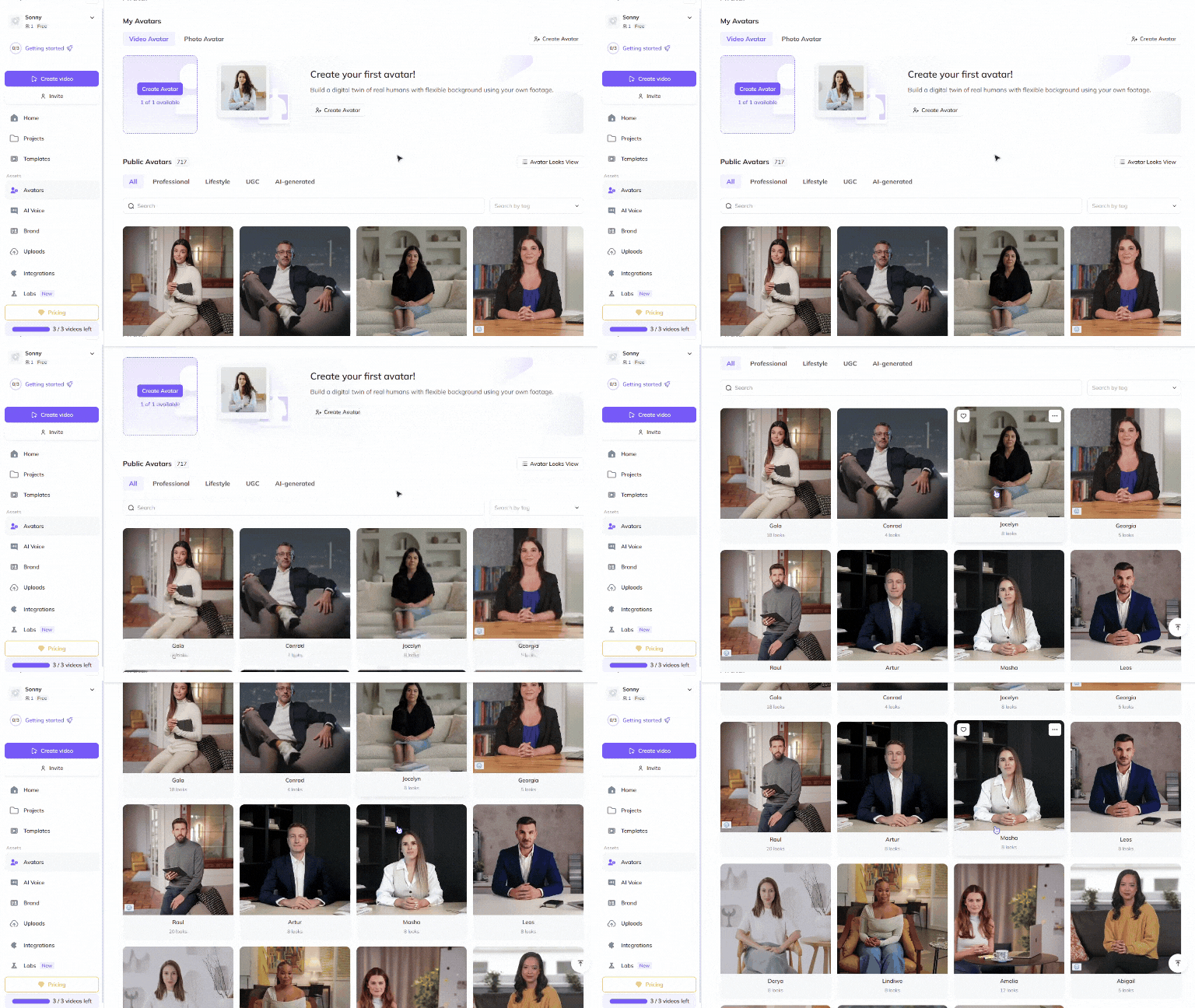
Choose a Public Avatar from HeyGen’s extensive library, featuring 700+ voices compatible with 170+ languages and dialects. Each Public Avatar also comes with multiple Looks, offering different professional styles suited for onboarding.
For a more personalized approach, HR leaders and managers can use HeyGen’s Custom Avatar feature to create a digital twin from their own photos and videos. For the best output, check out our Best Practices for creating AI avatars and voices . You can even customize your avatar’s look with our Generate Looks tool to align with your company’s branding.
Want something unique? Explore the option to generate an avatar from text , allowing you to create avatars suited for different company roles, cultures, or training environments.
Step 3: Create different types of onboarding training videos
Orientation overviews, team-specific training, and company culture videos help employees feel welcomed and informed. These structured videos provide clear, actionable onboarding experiences.
New hire orientation
Goal: Introduce new employees to company values, policies, and expectations.
Best format: 60-120 seconds
Key elements:
- Welcome message from leadership.
- Overview of mission, vision, and workplace policies.
- CTA: Direct employees to detailed training modules.
Team-specific onboarding
Goal: Help employees integrate into their department and understand role expectations.
Best format: 90-180 seconds
Key elements:
- Team introduction and role responsibilities.
- Overview of key tools and workflows.
- CTA: Encourage collaboration with team members.
Company culture & processes
Goal: Educate employees on workplace behaviors, collaboration tools, and HR guidelines.
Best format: 90-180 seconds
Key elements:
- Explanation of company culture and communication norms.
- Demonstrations of workplace tools and processes.
- CTA: Invite employees to participate in company culture initiatives.
By incorporating these different types of onboarding videos, you can ensure a seamless and effective transition for new employees.
Training videos
Goal: Provide structured and engaging training across multiple disciplines.
Best format: 3-5 minutes per topic
Key elements:
- Software walkthroughs and troubleshooting guides.
- Cybersecurity best practices and compliance requirements.
- CTA: Implement security protocols or complete a knowledge check.
Corporate training videos
Goal: Align employees with company goals, processes, and professional development.
Best format: 3-5 minutes.
Key elements:
- Company mission, vision, and values.
- Industry regulations and internal processes.
- CTA: Engage employees with role-specific training or development exercises.
By incorporating these different types of onboarding and training videos, you can ensure a seamless and effective learning experience for employees at all levels.
Step 4: Edit & enhance your training videos
Polish your video to perfection with HeyGen’s intuitive editing tools! HeyGen uses a text-based editor to ensure your scenes, text and transitions align perfectly with your script.
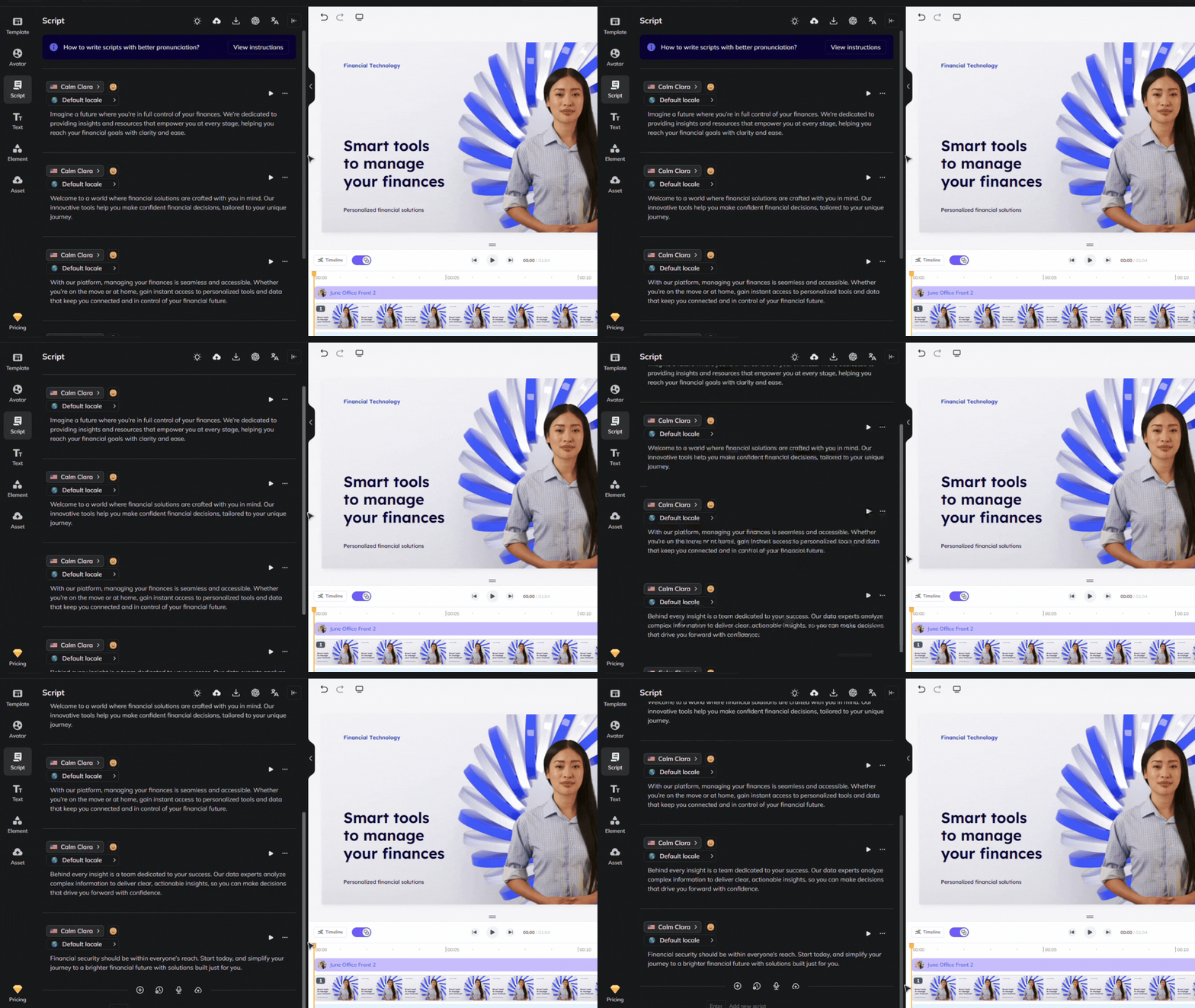
Review your flow and ensure the avatar’s gestures, voice and timing align with your script. See our scripting best practices guide for advice on how to ensure accurate pronunciation and pauses. Use our Brand Voice feature to ensure accurate pronunciation across multiple videos and languages!
Step 5: Distribute your video effectively
Once your video is complete, distribute it across multiple onboarding platforms:
Upload to your company’s learning management system (LMS) or employee portal.
Share via welcome emails, Slack, or Microsoft Teams to reach new hires directly.
Encourage engagement by providing interactive assessments or discussion forums.
Alternative: Using Interactive Avatars for training
In place of or addition to a training video, consider creating an Interactive Avatar if you have or can create a knowledge base with your training material. Below are some of the benefits of using an Interactive Avatar for training:
- Scalability: save costs and scale consistent learning experiences by standardizing training across departments and locations without hiring multiple trainers
- Adaptive learning: employees can learn at their own pace, ask questions and receive instantaneous feedback
- Change management: integrate processes and policy changes instantaneously by simply updating your knowledge base
- Gamification potential: make training more dynamic by incorporating quizzes, challenges or interactive decision-making
- Easy integration: embed Interactive Avatars into LMS platforms, intranet sites and corporate learning hubs
- Data-driven insights: analyze employee progress and training effectiveness with AI-powered reporting
Interactive Avatars bring a human touch to your content by allowing viewers to ask questions and converse in real-time for the most engaging adaptive learning. They can allow organizations to scale consistent learning experiences, Demo Interactive Avatars here and follow the steps in this Interactive Avatar guide to learn how to set up your own!
Bonus tips
- Make onboarding interactive: Include assessments or discussion prompts to encourage participation.
- Keep videos short and digestible: Break down onboarding into bite-sized modules for better retention.
- Use consistent branding: Align onboarding visuals with your company’s identity.
- Update regularly: Keep content fresh and relevant by incorporating company updates.
By integrating lifelike avatars into your onboarding strategy, you can engage new hires, scale training effortlessly, and create a seamless onboarding experience. AI-powered avatars make onboarding more accessible, consistent, and visually compelling. Start creating AI-driven onboarding training videos today and help your employees succeed from day one!
Comments (0)
Popular

Dive in