

Tutorial
March 14, 2024 · Last updated on April 23, 2025
How to use HeyGen for leadership updates and internal communications
# Tutorial
-
Effective leadership communication is key to keeping employees and stakeholders informed, engaged, and aligned with company goals. AI-powered, lifelike avatars allow executives to deliver professional, consistent, and scalable leadership updates, ensuring clear messaging without turning on the camera. Whether sharing company milestones, crisis communications, or strategic visions, AI avatars make leadership updates accessible, engaging, and impactful.
Why use AI avatars for leadership updates and internal communications?
Increase engagement by using avatars with natural expressions and a professional tone to enhance message delivery.
Maintain consistency in leadership communication while allowing for easy updates and edits as needed.
Scale effortlessly by repurposing leadership messages across internal newsletters, town halls, and investor updates.
Localize messages by offering multilingual versions of leadership updates for a diverse global workforce.
Simplify production and focus on impactful messaging without the need for extensive video recording or editing.
Step 1: Plan your leadership update content
Before creating your video, determine its purpose:
- CEO updates for employees or shareholders: Share company performance, future goals, and key achievements.
- Leadership messages during crises or transitions: Provide reassurance, transparency, and guidance during challenging times.
Leverage AI tools like HeyGen’s scriptwriting assistant to craft concise and impactful leadership messages. Not sure where to start? Here’s a sample structure for a 60-second leadership update video:
Opening (0-10 seconds) – introduction & key message
Script/Text On-Screen: “Hello, team. I want to take a moment to share an important update about [Topic].”
Middle (10-40 seconds) – key details & company vision
Visual: Branded background, relevant charts, or supporting graphics.
Script/Text On-Screen:
- “Over the past quarter, we have achieved [Key Milestone].”
- “Our vision moving forward is to [Strategic Goal].”
- “During this transition, we remain committed to supporting our employees and stakeholders.”
Closing (40-55 seconds) – CTA & final thoughts
Visual: Call-to-action text like “Stay Connected” or “Learn More.”
Script/Text On-Screen:
- “Thank you for your continued dedication. Let’s keep pushing forward together.”
- “For more details, please check the full update on our company portal.”
End screen (last 5 seconds)
Visual: Company logo, CTA button (e.g., “Read More” or “Join the Discussion”), and internal communication channels.
Step 2: Choose your AI avatar
HeyGen offers a wide range of avatars to deliver professional leadership messages with confidence and credibility. Whether you need a CEO, executive spokesperson, or department leader, HeyGen provides avatars to match your communication style.
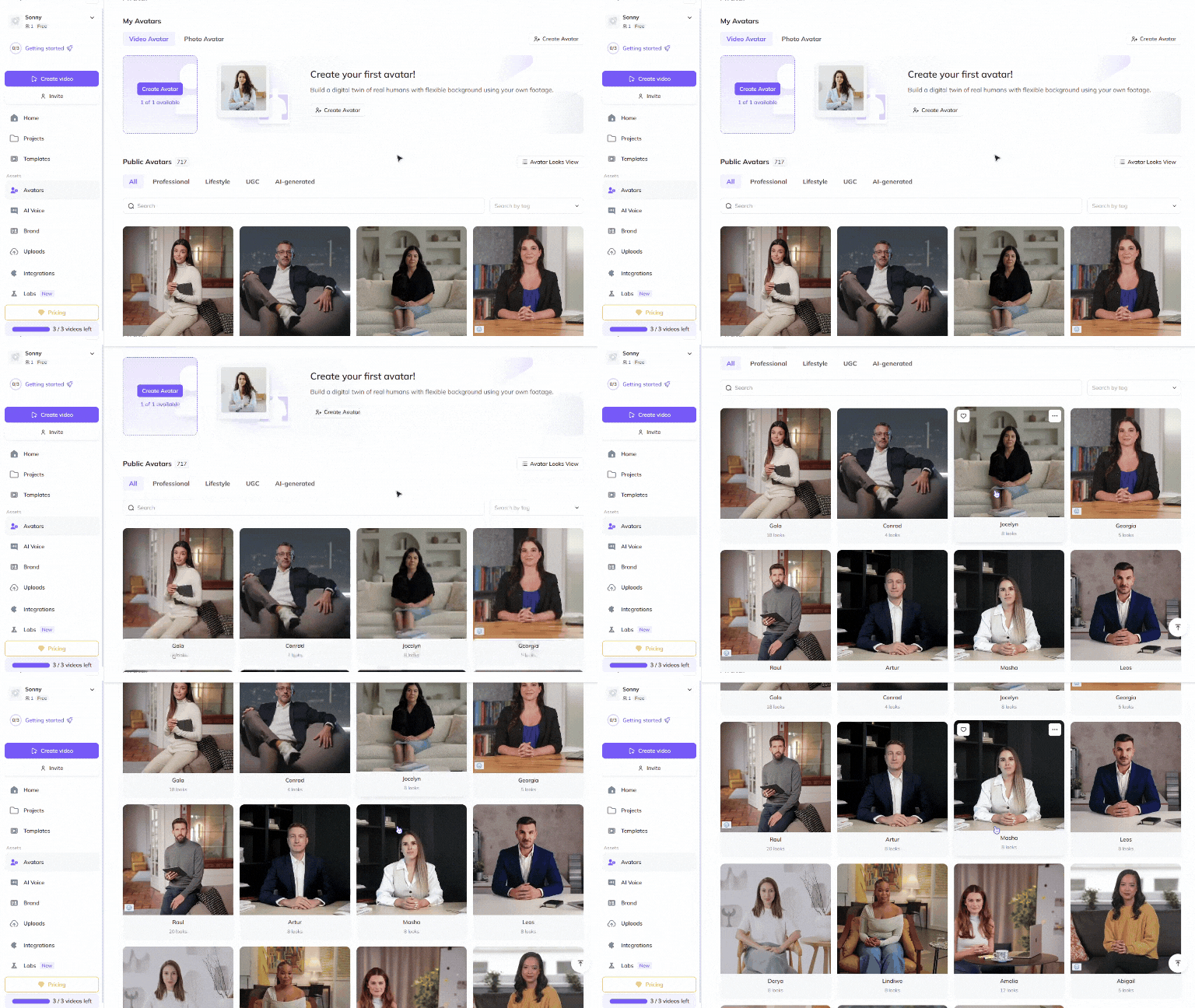
Choose a Public Avatar from HeyGen’s extensive library, featuring 700+ voices compatible with 170+ languages and dialects. Each Public Avatar also comes with multiple Looks, offering formal, business-casual, and industry-specific styles.
For a more personalized approach, executives and leadership teams can use HeyGen’s Custom Avatar feature to create a digital twin from their own photos and videos. For the best output, check out our Best Practices for creating AI avatars and voices . You can even tailor your avatar’s look with our Generate Looks tool to align with your company’s branding.
Want something unique? Explore the option to generate an avatar from text , allowing you to create avatars suited for different leadership communication styles and industries.
Step 3: create different types of leadership update videos
CEO addresses, shareholder reports, and crisis communications ensure employees and stakeholders receive timely and clear leadership messages. These structured videos provide transparency, direction, and inspiration.
CEO updates & company milestones
Goal: Keep employees and stakeholders informed about business performance and goals.
Best format: 60-180 seconds
Key elements:
- Summary of achievements and challenges.
- Future outlook and company vision.
- CTA: Encourage engagement through Q&A sessions or feedback forms.
Crisis communications & transitions
Goal: Reassure and guide employees and stakeholders through change.
Best format: 90-180 seconds
Key elements:
- Clear, direct messaging addressing concerns.
- Steps the company is taking to resolve issues.
- CTA: Direct employees to internal resources for support.
By incorporating different types of leadership update videos, you can ensure clear, consistent, and engaging communication across your organization.
Step 4: Edit and refine
Polish your video to perfection with HeyGen’s intuitive editing tools! HeyGen uses a text-based editor to ensure your scenes, text, and transitions align perfectly with your script.
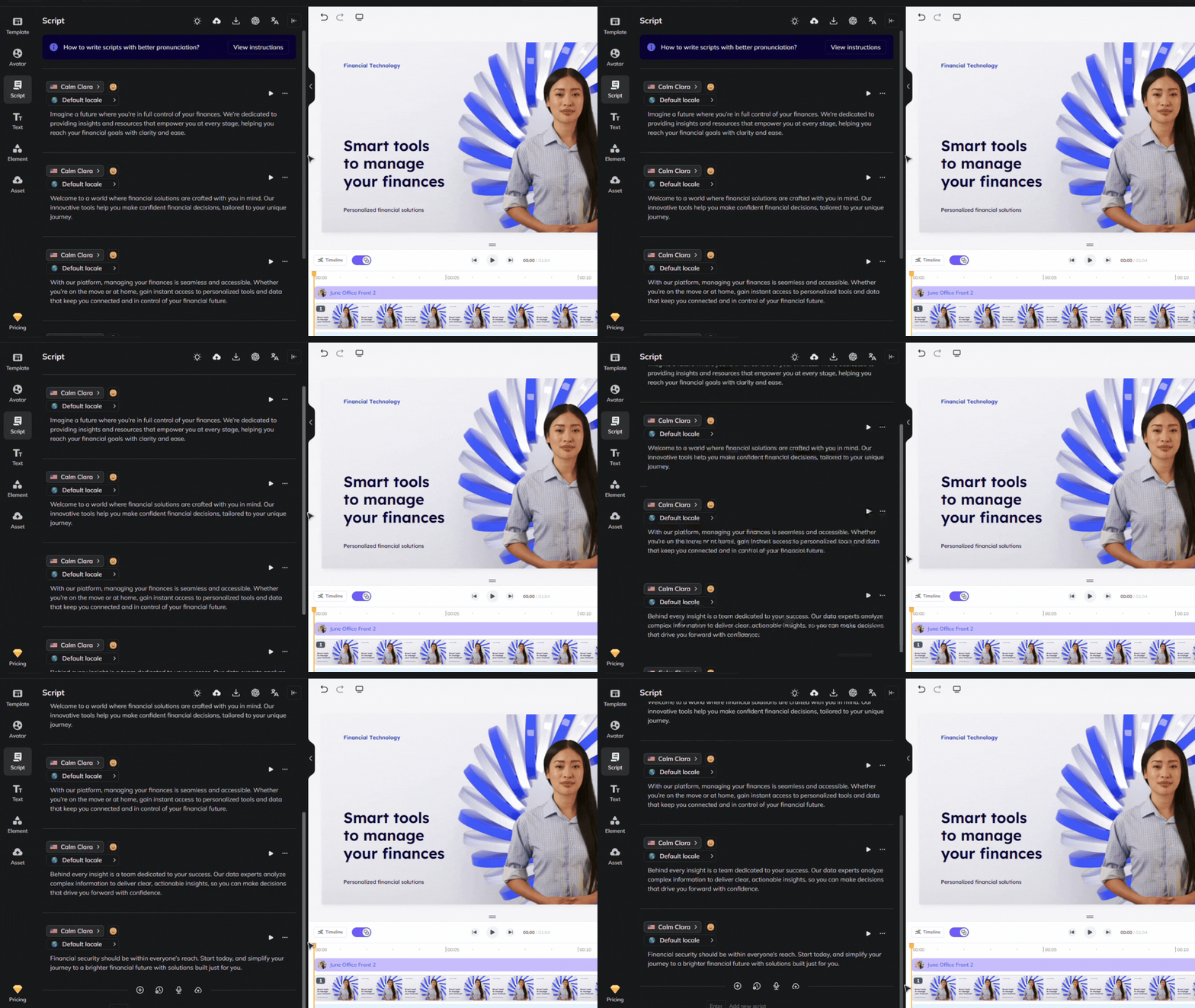
Review your flow and ensure the avatar’s gestures, voice, and timing align with your script. See our scripting best practices guide for advice on how to ensure accurate pronunciation and pauses. Use our Brand Voice feature to ensure accurate pronunciation across multiple videos and languages!
Step 5: Distribute your video effectively
Once your video is complete, distribute it across multiple internal communication channels:
Upload to your company’s intranet, employee portal, or investor relations page.
Share via internal newsletters, Slack, or Microsoft Teams to reach employees directly.
Encourage leadership engagement by inviting employees to submit questions or feedback.
Bonus tips
- Keep messaging clear and actionable: Avoid jargon and focus on key takeaways.
- Use a confident yet approachable tone: Balance professionalism with warmth.
- Encourage interaction: Invite employees or shareholders to ask follow-up questions.
- Stay consistent: Regular updates build trust and transparency over time.
By integrating lifelike avatars into your leadership communication strategy, you can engage employees, scale content effortlessly, and maintain consistent leadership messaging. AI-powered avatars make internal updates more accessible, professional, and impactful. Start creating AI-driven leadership update videos today and keep your workforce informed and inspired!
Comments (0)
Popular

Dive in