

Tutorial
March 13, 2024 · Last updated on April 23, 2025
How to use HeyGen for movie and music reviews
# Tutorial
-
Movie and music reviews help audiences discover the latest films, albums, and curated recommendations. AI-powered, lifelike avatars allow creators, influencers, and entertainment brands to deliver high-quality, engaging reviews without the need for on-camera appearances. Whether breaking down a blockbuster film, analyzing an album, or curating playlists, HeyGen makes review video production seamless, dynamic, and professional.
Why use AI avatars for movie and music reviews?
Increase engagement by using avatars with expressive narration and natural speech to captivate audiences.
Save time and resources by automating review content creation without needing to record video footage.
Enhance reviews with cinematic visuals, album artwork, and on-screen ratings for a polished, professional look.
Scale effortlessly by repurposing content for YouTube, TikTok, Instagram Reels, and podcast-style video reviews.
Localize content for international audiences with AI-powered voiceovers in multiple languages.
Step 1: Plan your movie or music review content
Before creating your video, determine its purpose:
- Reviews of the latest movies and albums: Share insights, ratings, and expert opinions on trending entertainment.
- Recommendations for what to watch or listen to: Suggest must-see movies and albums based on genre or mood.
- Curated playlists or movie recs: Create themed playlists or movie lists for specific audiences or occasions.
Leverage AI tools like HeyGen’s scriptwriting assistant to craft structured and engaging review scripts. Not sure where to start? Here’s a sample structure for a 60-second review video:
Opening (0-10 seconds) – introduce the review
Visual: Movie poster, album cover, or a dynamic intro animation.
Script/Text On-Screen: “Wondering if [Movie/Album Name] is worth your time? Let’s break it down in under a minute!”
Middle (10-40 seconds) – key review insights
Visual: Clips from trailers, music snippets, or on-screen pros and cons.
Script/Text On-Screen:
- “The storyline keeps you hooked from start to finish, but does the ending live up to the hype?”
- “This album blends hip-hop and jazz influences—let’s talk standout tracks and production.”
- “If you love suspense, this is a must-watch, but casual viewers might find it a bit slow.”
Closing (40-55 seconds) – verdict & call to action
Visual: Star ratings, thumbs-up/down, or text summary.
Script/Text On-Screen:
- “Final rating: 4.5/5—definitely worth a watch!”
- “This album is a vibe—stream it now and let us know your favorite track.”
- “Seen this movie? Drop your thoughts in the comments!”
End screen (last 5 seconds)
Visual: Channel logo, CTA button (e.g., “Subscribe for More Reviews” or “Follow for Weekly Picks”), and social media handles.
Pro tip: Keep reviews concise and structured, using clear visuals and engaging commentary to maintain viewer interest.
Step 2: Choose your AI avatar
HeyGen offers a wide range of avatars that can deliver reviews with personality and professionalism. Whether you need a film critic, music influencer, or entertainment host, HeyGen has avatars to match your review style.
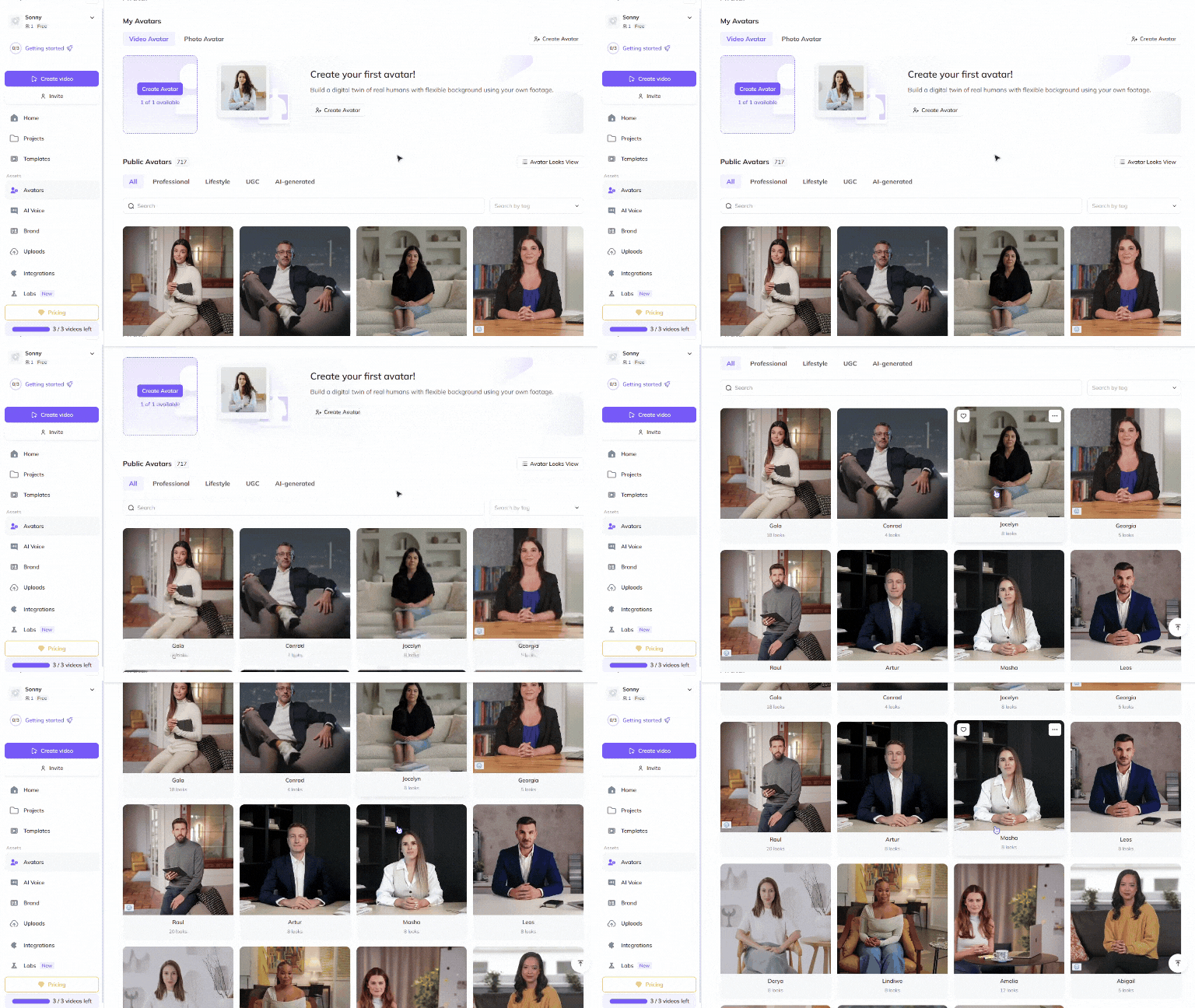
Choose a Public Avatar from HeyGen’s extensive library, featuring 700+ voices compatible with 170+ languages and dialects. Each Public Avatar also comes with multiple Looks, allowing you to customize outfits, styles, and settings.
For a more personalized approach, creators and entertainment reviewers can use HeyGen’s Custom Avatar feature to create a digital twin from their own photos and videos. For the best output, check out our Best Practices for creating AI avatars and voices . You can even customize your avatar’s look with our Generate Looks tool to align with your review brand.
Want something unique? Explore the option to generate an avatar from text , allowing you to create avatars suited for different review styles and genres.
Step 3: Create different types of movie and music review videos
Quick reviews, deep-dive analyses, and curated recommendations help audiences discover new entertainment options. These structured videos provide engaging, informative, and visually dynamic content.
Quick movie & music reviews
Goal: Deliver fast-paced, engaging reviews in a short format.
Best format: 30-90 seconds
Key elements:
- Rapid-fire breakdown of key aspects (story, visuals, acting, or production).
- On-screen rating system (stars, thumbs-up/down, or number scores).
- CTA: Encourage viewers to share opinions or watch more reviews.
In-depth analysis & breakdowns
Goal: Provide a detailed critique of a movie, album, or artist’s work.
Best format: 3-7 minutes
Key elements:
- Breakdown of themes, storytelling, and artistic vision.
- Deep dive into production quality, acting performances, or musical influences.
- CTA: Engage audiences with discussion prompts or fan theories.
Curated playlists & recommendations
Goal: Suggest entertainment options based on mood, genre, or trends.
Best format: 60-180 seconds
Key elements:
- Themed movie lists (e.g., “Best Horror Films for Spooky Season”).
- Playlists for different moods or occasions (e.g., “Feel-Good Summer Hits”).
- CTA: Direct viewers to streaming platforms or personal recommendation lists.
By incorporating these different types of review videos, you can engage entertainment fans and drive discussions about movies and music.
Step 4: Enhance your video with visuals and animations
Polish your video to perfection with HeyGen’s intuitive editing tools! HeyGen uses a text-based editor to ensure your scenes, text and transitions align perfectly with your script.
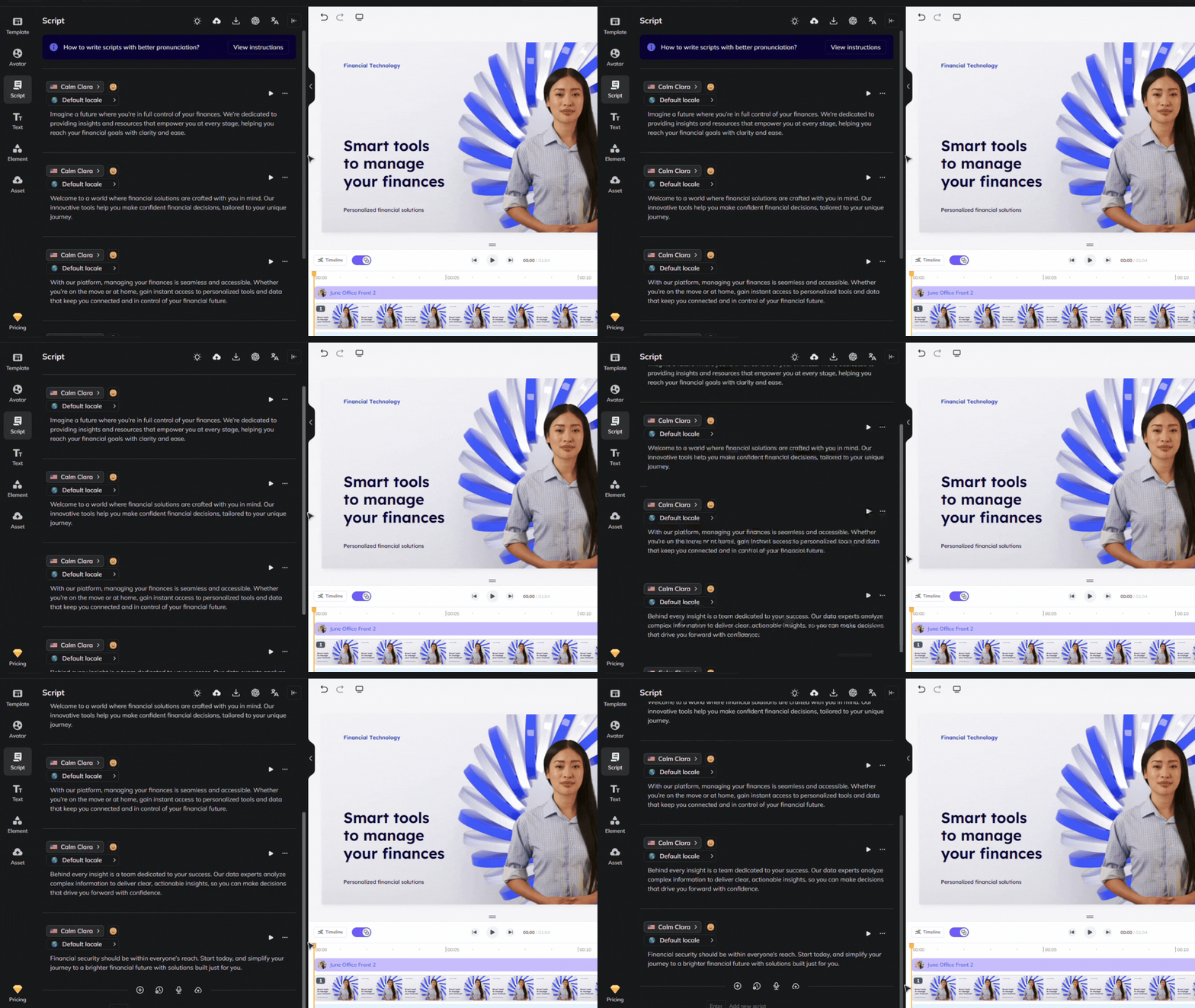
Review your flow and ensure the avatar’s gestures, voice and timing align with your script. See our scripting best practices guide for advice on how to ensure accurate pronunciation and pauses. Use our Brand Voice feature to ensure accurate pronunciation across multiple videos and languages!
Step 5: Distribute your video effectively
Once your video is complete, distribute it across multiple entertainment platforms:
Upload to YouTube, Instagram Reels, or TikTok to engage movie and music lovers.
Share on entertainment blogs, Spotify playlists, or film discussion forums.
Encourage audience interaction by asking for comments, ratings, and recommendations.
Bonus tips
- Keep reviews entertaining and informative: Balance critique with engaging storytelling.
- Use different avatars for variety: Match avatar styles to different review themes or genres.
- Leverage trends: Review trending films, albums, or viral entertainment topics.
- Encourage audience participation: Ask viewers for their opinions and recommendations.
By integrating lifelike avatars into your movie and music review strategy, you can engage audiences, scale content effortlessly, and create compelling entertainment critique videos. Start creating AI-driven review videos today and share your insights with the world!
Comments (0)
Popular

Dive in