

Tutorial
February 7, 2025 · Last updated on May 15, 2026
How to use HeyGen for newsletters & community updates
# Tutorial
Make your newsletters stand out with custom AI videos
Newsletters and community updates are essential for keeping your audience informed, engaged, and connected to your brand. With HeyGen, you can create compelling video updates that deliver company news, content roundups, and industry trends in an engaging format using AI avatars, automated video creation, and professional voiceovers. Follow this guide to enhance your newsletter strategy with dynamic video content.
Quick tips for video newsletters & updates
To create effective video updates, keep them concise and engaging, ideally between 60-120 seconds.
Using AI avatars adds a professional and personalized touch, making the content more relatable and dynamic.
A well-structured update should begin with a compelling headline, highlight key information, and conclude with a strong call to action (CTA).
Enhancing visuals with graphics and captions helps reinforce key points and improves accessibility.
Step 1: Define your newsletter video goals
Before creating your video, determine its purpose:
- Company updates: Share internal news, product launches, or leadership messages.
- Content roundup: Highlight recent blog posts, videos, or community discussions.
- Industry trends: Provide insights and analysis on emerging trends in your field.
Leverage HeyGen’s AI scriptwriting tools to craft a tailored script. Don’t forget to check out the section on how to generate a script with AI for more insights.
Not sure where to start? Here's a sample script for a 60-second newsletter video:
Opening (0-10 seconds) – hook & introduction
- Voiceover/Text On-Screen: “Welcome to your latest industry trend update! In just 60 seconds, we’ll explore the biggest shifts that are impacting [Industry Name] this month.”
Middle (10-40 seconds) – Key industry trends & insights
Visual: Quick, dynamic visuals showing trend data, key players, and current events related to the trends.
Voiceover/Text On-Screen:
- “Trend #1: [Trend Name]. Here’s how it’s reshaping the industry…” (Example: Growth in AI adoption, remote work changes, sustainability efforts)
- “Trend #2: [Trend Name]. This is what experts are predicting for the next quarter…” (Example: Shift towards automation, data privacy concerns)
- “Trend #3: [Trend Name]. Companies that are capitalizing on this are seeing major success…” (Example: Industry partnerships, mergers, or new technologies emerging)
Closing (40-55 seconds) – CTA & encouragement
Visual: Call-to-action button with animated text such as “Stay Ahead of the Curve” or “Learn More”
Voiceover/Text On-Screen:
- “Want to stay up-to-date with the latest trends? Subscribe to our full newsletter for more insights every month.”
- “Start adapting your strategy today based on these trends!”
End screen (last 5 seconds)
Visual: Company logo, CTA button (e.g., "Subscribe Now" or "Read More"), and website URL.
Step 2: Choose your AI avatar & voiceover
HeyGen offers a wide range of avatars for every occasion and options for creating custom avatars to bring your videos to life!
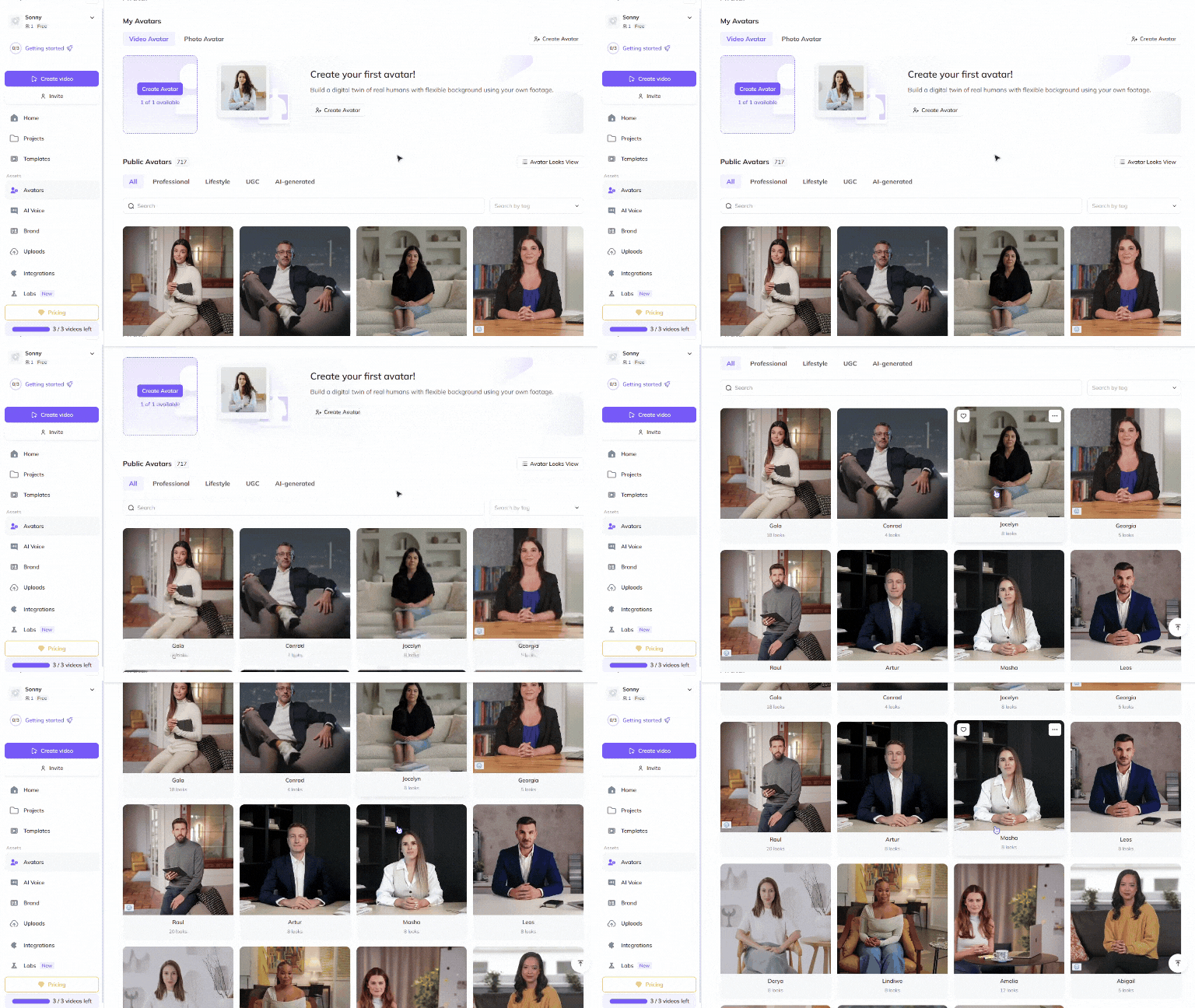
Choose a Public Avatar from HeyGen’s extensive library of avatars with 700+ voices compatible with 170+ languages and dialects. Each Public Avatar also comes with multiple Looks, which are varying outfits, poses or backgrounds.
Want even more personalization? See our video avatar: create your digital twin guide to make your very own avatar using photos and videos from your smartphone. For the best output, see this Best Practices for creating AI avatars and voices . Customize your avatars’ outfits and surroundings even further with our Generate Looks function to ensure their appearance matches your video’s needs perfectly.
Want something completely custom or out-of-the box? Try generating an avatar from text where your imagination is the only limit. Whether hyper-realistic, in an animation style of your choice, or set fully in a fictional world, you can generate the perfect avatar for your needs in different outfits and surroundings.
Step 3: Create different types of newsletter videos
Company updates, content roundups, and industry trend videos keep audiences informed and engaged by highlighting key milestones, recent content, and emerging insights. These short, structured videos provide valuable information while encouraging viewers to explore further, participate in discussions, or take action.
1. Company updates
- Goal: Keep your audience informed about recent developments.
- Best format: 60-90 seconds.
Key elements:
- Introduction to the latest company news.
- Highlights of key milestones, product updates, or team achievements.
- CTA: Invite viewers to learn more or get involved.
2. Content roundup
- Goal: Summarize and promote recent content.
- Best format: 60-120 seconds.
Key elements:
- Overview of new articles, videos, or community discussions.
- Brief descriptions with key takeaways.
- CTA: Encourage viewers to explore the full content.
3. Industry trends & insights
- Goal: Provide valuable knowledge and position your brand as a thought leader.
Best format: 90-120 seconds.
- Key elements:
- Overview of emerging trends in your industry.
- Data points, expert insights, and predictions.
- CTA: Invite audience discussions or engagement.
Step 4: Edit & enhance your newsletter videos
Polish your video to perfection with HeyGen’s intuitive editing tools! HeyGen uses a text-based editor to ensure your scenes, text and transitions align perfectly with your script.
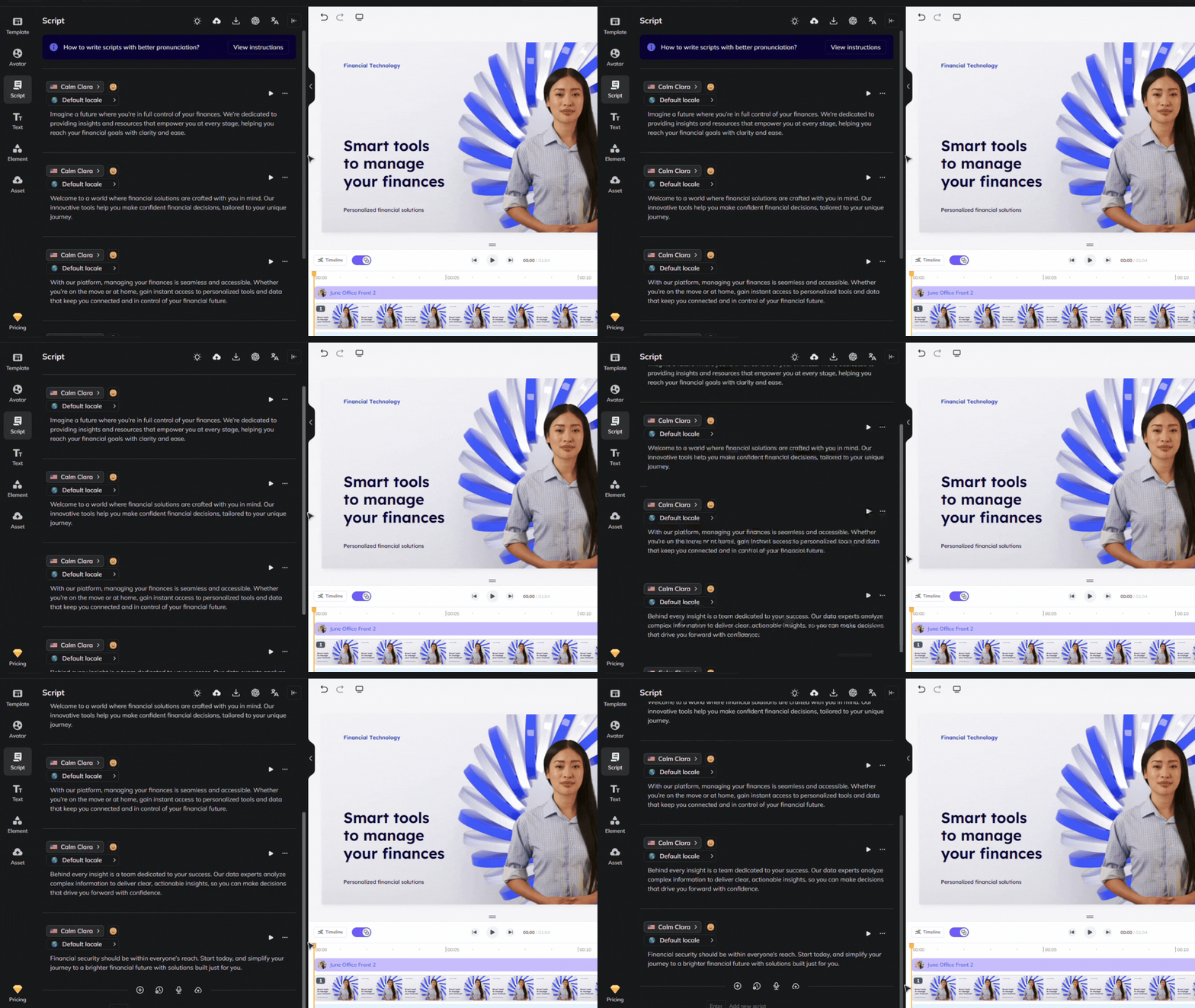
Review your flow and ensure the avatar’s gestures, voice and timing align with your script. See our scripting best practices guide for advice on how to ensure accurate pronunciation and pauses. Use our Brand Voice feature to ensure accurate pronunciation across multiple videos and languages!

For industry trend videos, keep your content engaging by transforming it into a dynamic, conversational format. Use HeyGen's Video Podcast feature to easily turn PDFs or YouTube links into a two-speaker AI video podcast, creating an interactive, engaging experience. Showcase key insights and trends with:
- A conversational exchange between two AI speakers
- Quick transitions between topics and trends
- Visuals and data points to highlight emerging trends
- Expert insights or predictions shared in a natural, engaging way
Leverage this feature to present trends and insights in a way that feels personal and keeps your audience interested from start to finish.
Step 5: Distribute your newsletter videos effectively
To distribute your video updates effectively, start by embedding them in your email campaigns to directly reach your audience.
Share key highlights on social media platforms like LinkedIn, Twitter, and Facebook to expand your reach and encourage sharing.
For more direct engagement, post updates on community platforms such as Slack, Discord, or relevant forums.
Additionally, feature your updates on your website or blog, placing them on the homepage or in a resource section to make them easily accessible for visitors.
Bonus tips for newsletter video success
- A/B test different styles: Compare engagement rates to refine content.
- Use AI automation: Scale content creation with HeyGen’s automated tools.
- Encourage interaction: Ask viewers to comment, share, or respond.
- Optimize for mobile viewing: Ensure readability and clarity on all devices.
With HeyGen, you can transform traditional newsletters into engaging, high-quality video updates. Start creating your video newsletters today!
Comments (0)
Popular

Dive in