

Tutorial
March 14, 2024 · Last updated on April 23, 2025
How to use HeyGen for language learning
# Tutorial
-
Learning a new language can be challenging, but with AI-powered, lifelike avatars, you can create engaging, scalable, and immersive language learning experiences. Whether teaching vocabulary, grammar, pronunciation, or cultural insights, AI avatars allow educators and content creators to deliver high-quality multilingual training without needing to be on camera.
Why use lifelike avatars for language learning?
Enhance engagement by using avatars with natural pronunciation and expressive speech to guide learners.
Simplify language learning with structured lessons on vocabulary, grammar, and pronunciation.
Increase accessibility by localizing content into multiple languages for a global audience.
Incorporate cultural insights and interactive learning techniques to improve retention.
Scale effortlessly by repurposing language tutorials across e-learning platforms, YouTube, and social media.
Step 1: Plan your language learning content
Before creating your video, determine its purpose:
- Basic vocabulary and grammar tutorials: Teach foundational language skills through structured lessons.
- Cultural insights and pronunciation guides: Provide context on language use and help learners sound more natural.
- Multilingual training videos: Offer learning resources in multiple languages for diverse audiences.
Leverage AI tools like HeyGen’s scriptwriting assistant to craft clear, engaging, and interactive language lessons. Not sure where to start? Here’s a sample structure for a 60-second language learning video:
Opening (0-10 seconds) – introduction & learning goal
Script/Text On-Screen: “Want to learn [Language]? Today, we’ll cover essential phrases and pronunciation tips to get you started!”
Middle (10-40 seconds) – vocabulary, grammar, or pronunciation lesson
Visual: On-screen text of words or phrases with phonetic pronunciation.
Script/Text On-Screen:
- “Word #1: ‘Bonjour’ – which means ‘Hello’ in French.”
- “Grammar tip: In Spanish, adjectives usually come after the noun, like ‘casa roja’ (red house).”
- “Pronunciation guide: Say ‘ありがとう’ (Arigato) with a soft ‘r’ and elongated ‘o’ for correct Japanese pronunciation.”
Closing (40-55 seconds) – CTA & engagement
Visual: Call-to-action text like “Practice Your Skills” or “Learn More Today.”
Script/Text On-Screen:
- “Practice these words today, and you’ll be one step closer to fluency!”
- “Follow for more language tips and lessons every week.”
End screen (last 5 seconds)
Visual: Language learning brand logo, CTA button (e.g., “Watch More” or “Subscribe for New Lessons”), and website or social media handle.
Pro tip: Keep lessons concise and interactive by prompting viewers to repeat words or phrases aloud.
Step 2: Choose your AI avatar
HeyGen offers a wide range of avatars to bring your language instructor to life! Whether you need a native speaker, a multilingual educator, or a cultural guide, HeyGen has options to match your teaching style.
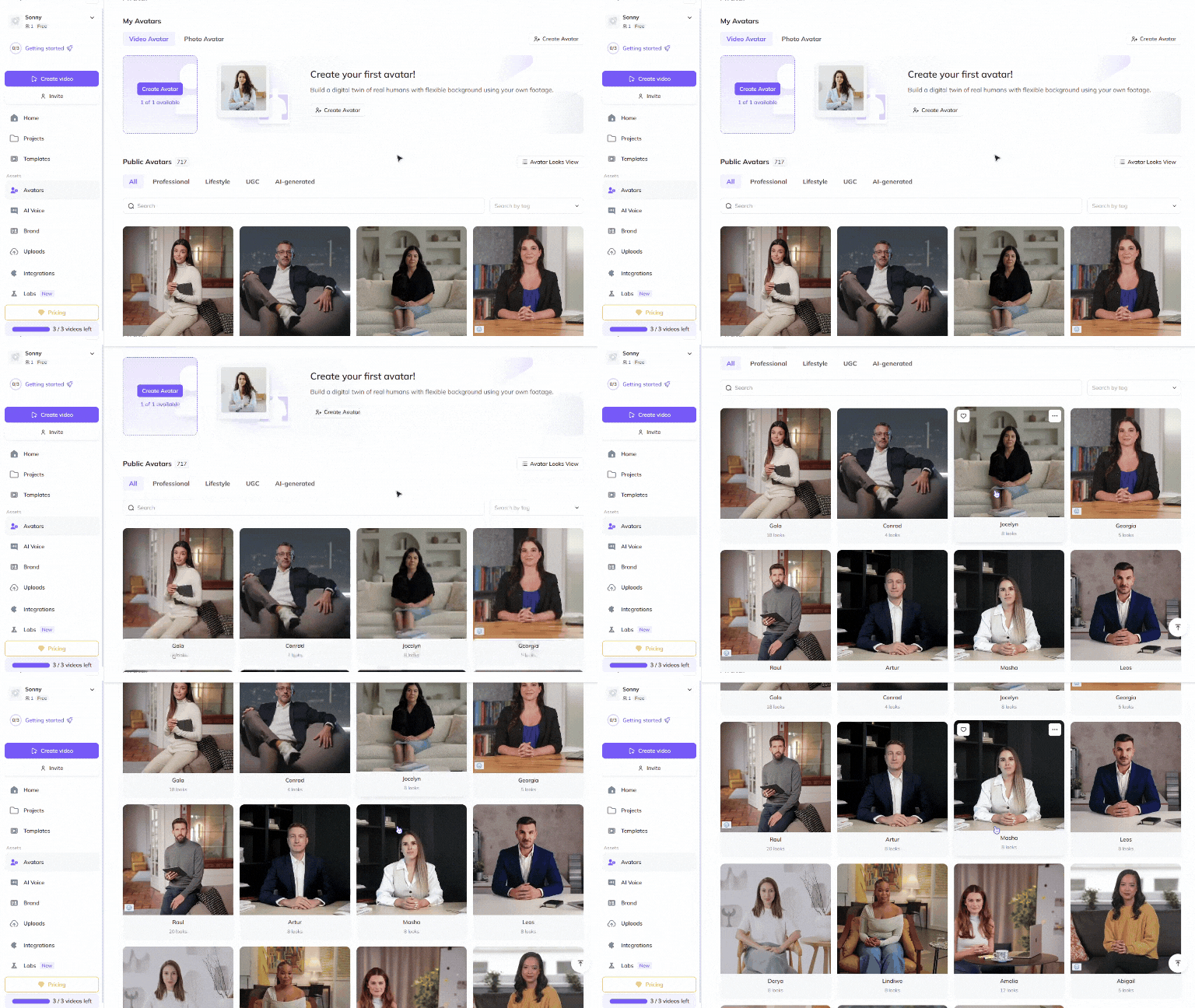
Choose a Public Avatar from HeyGen’s extensive library, featuring 700+ voices compatible with 170+ languages and dialects, including many regional accents across each language. Each Public Avatar also comes with multiple Looks, offering different styles to match your lesson format.
For a more personalized approach, language educators can use HeyGen’s Custom Avatar feature to create a digital twin from their own photos and videos. For the best output, check out our Best Practices for creating AI avatars and voices . You can even customize your avatar’s look with our Generate Looks tool to align with your educational branding.
Want something unique? Explore the option to generate an avatar from text , allowing you to create avatars suited for different cultural aesthetics or teaching approaches.
Step 3: Create different types of language learning videos
Vocabulary lessons, grammar tutorials, and pronunciation guides help learners develop fluency and confidence. These structured videos provide an engaging way to learn and retain language skills.
Vocabulary and grammar tutorials
Goal: Teach essential words, phrases, and sentence structures.
Best format: 60-120 seconds
Key elements:
- Introduction to the words or grammar rule.
- On-screen text and pronunciation assistance.
- CTA: Encourage learners to practice and apply new skills.
Pronunciation and cultural insights
Goal: Help learners sound more natural and understand language in context.
Best format: 60-180 seconds
Key elements:
- Phonetic breakdowns and example sentences.
- Cultural context on when and how words are used.
- CTA: Invite learners to repeat and practice aloud.
Multilingual training videos
Goal: Provide instructional content in multiple languages.
Best format: 90-240 seconds
Key elements:
- AI avatars presenting lessons in different languages.
- Visual aids and real-world examples for better understanding.
- CTA: Encourage learners to explore lessons in their target language.
By incorporating these different types of language learning videos, you can create an interactive and engaging experience for learners at any level.
Step 4: Edit and refine
Polish your video to perfection with HeyGen’s intuitive editing tools! HeyGen uses a text-based editor to ensure your scenes, text and transitions align perfectly with your script.
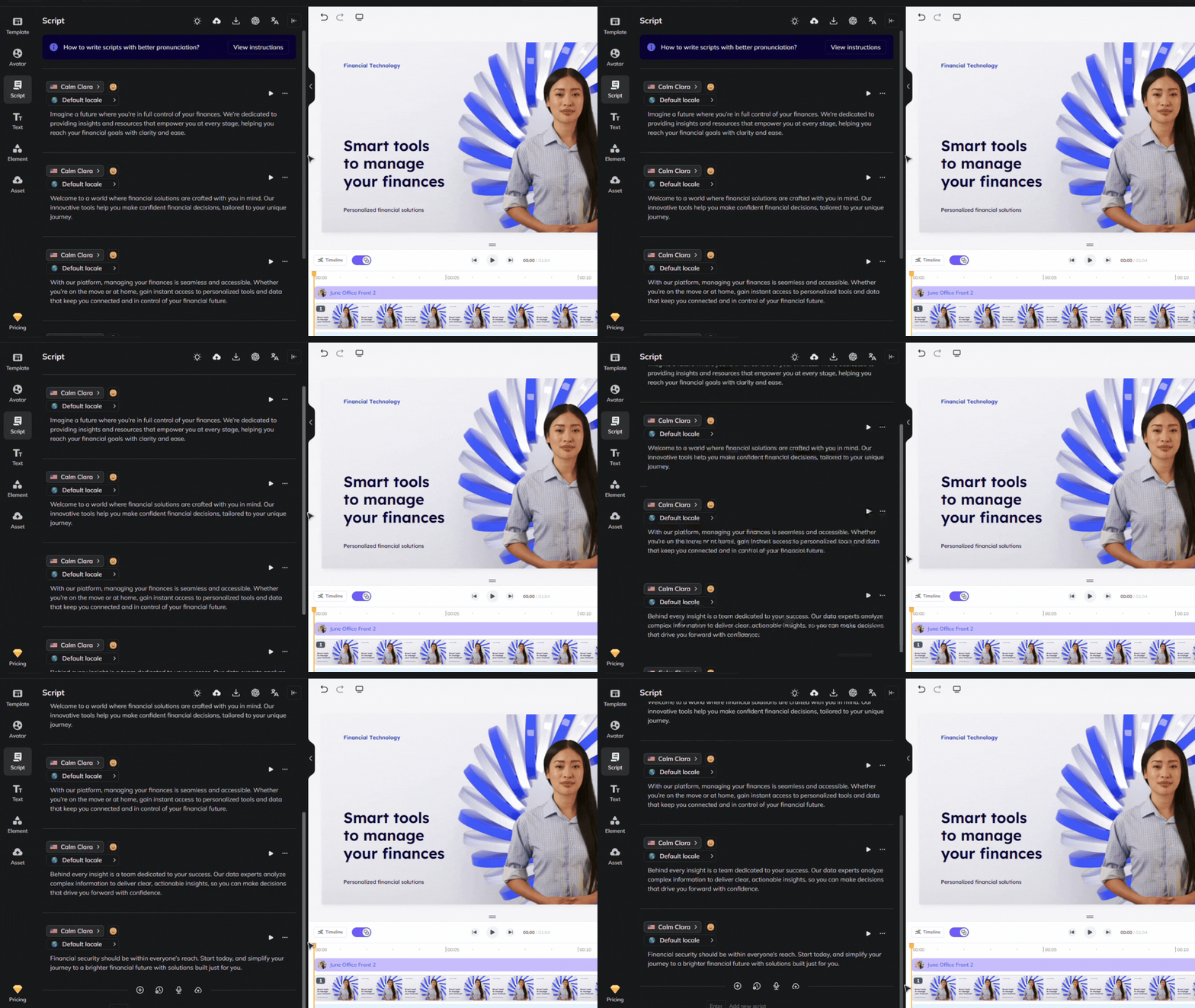
Review your flow and ensure the avatar’s gestures, voice and timing align with your script. See our scripting best practices guide for advice on how to ensure accurate pronunciation and pauses. Use our Brand Voice feature to ensure accurate pronunciation across multiple videos and languages!
Step 5: Distribute your video effectively
Once your video is complete, distribute it across multiple platforms:
Upload to YouTube, e-learning websites, or language learning apps.
Share on social media platforms like Instagram, TikTok, and LinkedIn to reach language learners globally.
Encourage engagement by prompting learners to comment their favorite word or phrase from the lesson.
Bonus tips
- Make it interactive: Ask viewers to repeat phrases, answer questions, or leave comments in their target language.
- Use real-world scenarios: Teach language through everyday conversations for practical learning.
- Keep lessons consistent: Regular short lessons help learners build fluency over time.
- Adapt to different learning styles: Use a mix of spoken explanations, visual aids, and written text to reinforce retention.
By integrating lifelike avatars into your language learning strategy, you can engage learners, scale content effortlessly, and make language education more accessible. AI-powered avatars make language lessons more immersive, consistent, and visually compelling. Start creating AI-driven language learning videos today and help your audience master new languages with ease!
Comments (0)
Popular

Dive in