

Tutorial
February 6, 2025 · Last updated on May 15, 2026
How to use HeyGen for product announcements
# Tutorial
Elevate your product announcements with engaging AI content
Product announcements are essential for building excitement and driving engagement around new products, features, or services. With HeyGen, you can create high-quality, AI-powered videos that introduce your latest offerings with professional avatars, voiceovers, and engaging visuals. Follow this guide to craft compelling product announcements that captivate your audience.
Quick tips for product announcement videos
To create effective brand videos, keep them concise and impactful, with announcements ranging from 30 to 90 seconds.
Start with a captivating hook that grabs attention within the first five seconds, ensuring viewers stay engaged.
Leverage AI avatars to deliver a professional and human-like presentation that aligns with your brand identity.
Optimize videos for mobile and social media to enhance visibility and engagement across different platforms.
Finally, include a strong call to action (CTA) that directs viewers to learn more, sign up, or make a purchase, ensuring that your video drives meaningful action.
Step 1: Define your product announcement goals
Before creating your video, determine the objective. Here are a few common examples:
- New product/feature launch: Showcase key functionalities and benefits.
- New service introduction: Explain what the service offers and who it’s for.
- Update or enhancement release: Highlight improvements and new capabilities.
Step 2: Write your script
Once you have your objective, it’s time to draft a concise, engaging script that aligns with your announcement goals. Use clear, simple language and highlight the value your product or feature brings to the audience, while guiding them towards the desired action (e.g., purchasing, subscribing, or learning more).
Leverage HeyGen’s AI scriptwriting tools to craft a tailored script. Don’t forget to check out the section on how to generate a script with AI for more insights.
Not sure where to start? Here's a sample script for a 60-second pre-event promotion video whose objective is to build hype and drive registration:
Opening (0-10s) – Hook & why it matters
Voiceover/text on-screen:
"Introducing the future of [product category]! Ready to experience innovation like never before?"
Middle (10-40s) – What to expect & key benefits
Visual: Dynamic close-ups of the product’s standout features, with users interacting and demonstrating its real-world benefits.
Voiceover/text on-screen:
Discover:
- Cutting-edge features that elevate performance
- Enhanced capabilities for better results
- Sleek design that combines form and function
- Exclusive updates that redefine the user experience
Closing (40-60s) – Clear CTA & urgency
Visual: Product image, launch date, and a call-to-action button with a “Limited Time Offer” or “Available Now” graphic.
Voiceover/text on-screen:
"Don't miss out! Be among the first to experience [Product Name]. Get yours now!"
[Insert Purchase or Learn More Link]
End Screen:
Product name | Call-to-action (buy now/pre-order!) | "Limited Stock Available!"
This format ensures maximum engagement, excitement, and clear next steps for potential customers. Let me know if you’d like any refinements!
Step 3: Choose or create your AI avatar
HeyGen offers a wide range of avatars for every occasion and options for creating custom avatars to bring your videos to life!
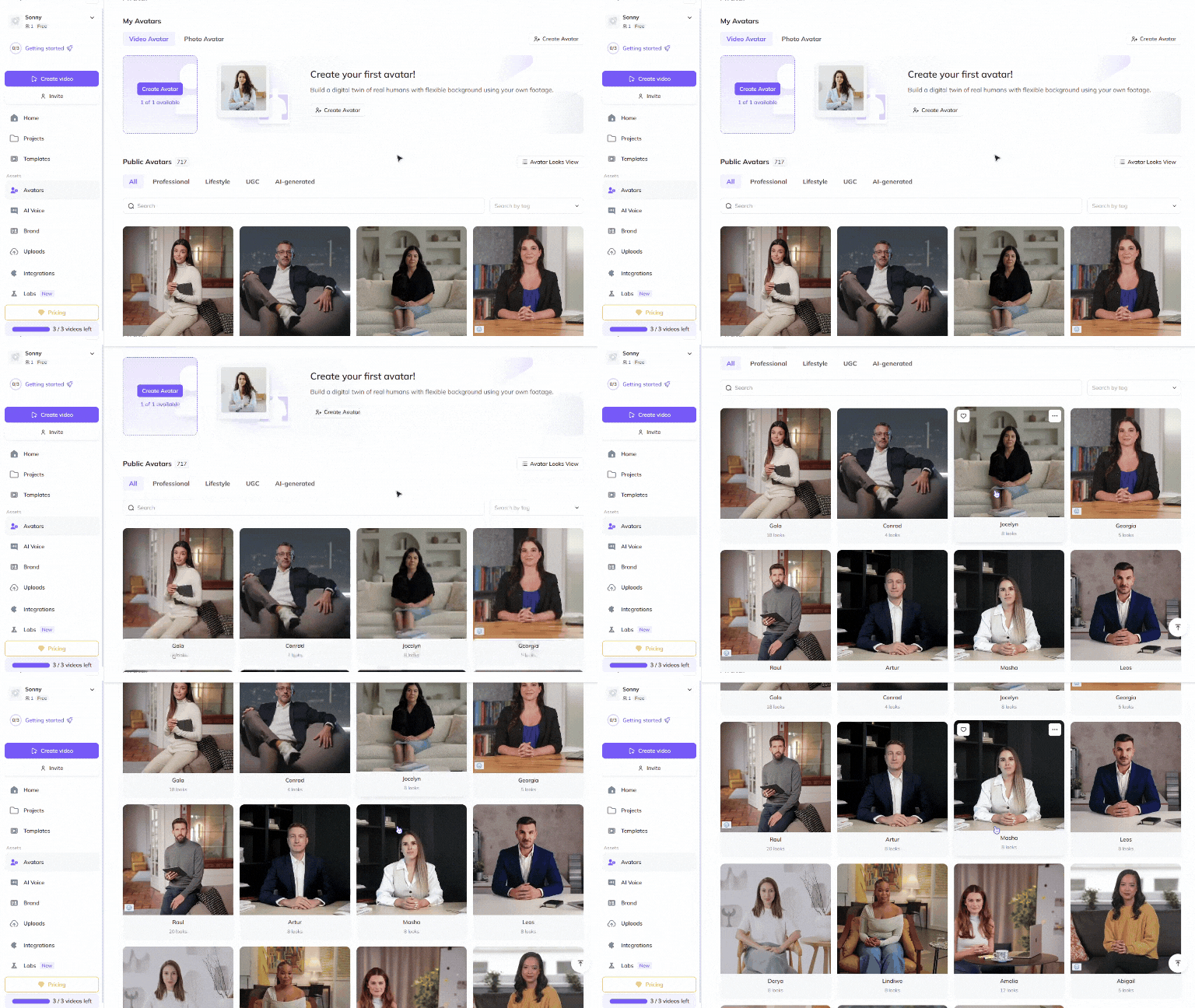
Choose a Public Avatar from HeyGen’s extensive library, featuring avatars with 700+ voices in 170+ languages and dialects, perfect for your product announcement video. Each avatar offers multiple Looks, such as different outfits, poses, or backgrounds, allowing you to customize the avatar’s appearance to suit your announcement style.
Looking for more personalization? See our video avatar: create your digital twin guide to craft your own avatar using photos and videos. For the best results, follow our Best Practices for Creating AI Avatars and Voices . You can also further tailor your avatar’s appearance to match your product’s branding by using the Generate Looks feature, ensuring everything aligns perfectly with your video’s theme.
For a truly unique touch, try Generating an Avatar from Text . Whether you envision a hyper-realistic character, an animated style, or a completely fictional world, you can create the perfect avatar to showcase your product in different outfits and settings.
Want to make your product announcement even more personal? Use Personalized Video Messages to engage with your audience directly by addressing them by name or referencing specific details. These videos are ideal for product launches, email campaigns, and customer engagement, ensuring your message feels tailored to each viewer.
Step 4: Edit & enhance your product announcement video
Polish your product announcement video to perfection with HeyGen’s intuitive editing tools! HeyGen’s text-based editor ensures that your scenes, text, and transitions align perfectly with your script.
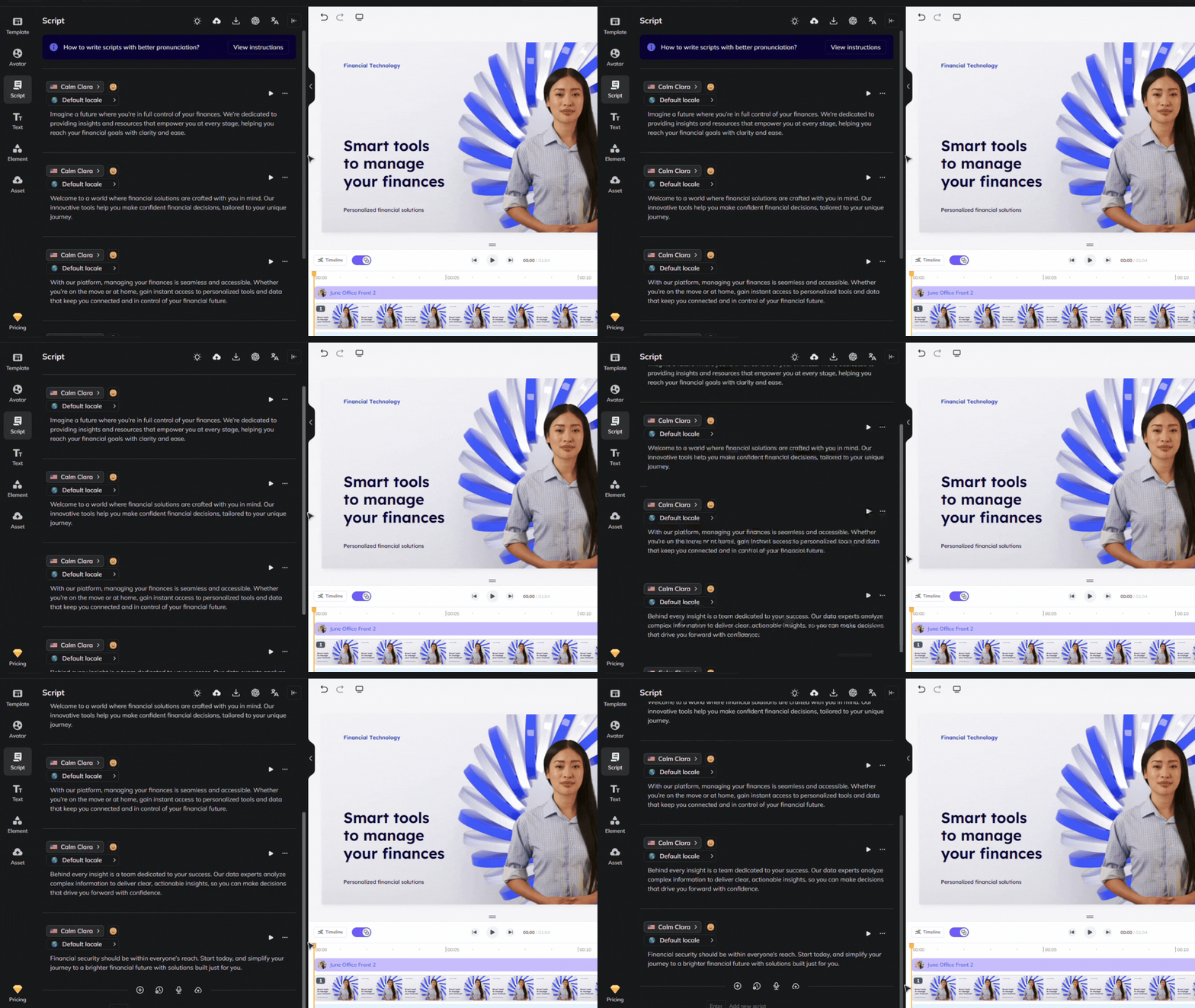
Browse HeyGen’s extensive library of professionally designed templates or create your own templates to match your product’s unique branding and aesthetic.
Upload assets such as product images, videos, animations, music, or screen recordings that showcase your product’s key features.
For product announcement videos, grab your viewers’ attention with dynamic montages, quick cuts, and scene changes. Showcase the product in action, including:
- Close-ups of the product and its features in use
- Demonstrations of key functionalities or innovations
- Highlighting the design, packaging, or unique aspects
- Behind-the-scenes glimpses of the product development or team at work
Take advantage of HeyGen's product placement feature to seamlessly integrate your product into scenes, ensuring a natural and compelling way to showcase it.
Consider incorporating testimonials or expert endorsements. Short clips of users or influencers sharing their positive experiences or demonstrating the product's value can make your announcement more relatable and trustworthy.
Once you've created and edited your scenes, review the flow and ensure that the avatar’s gestures, voice, and timing align with your script. Refer to our scripting best practices guide for tips on accurate pronunciation and timing. You can also use our Brand Voice feature to ensure consistent voiceovers across multiple videos and languages!
Step 5: Distribute your product announcement videos effectively
Once your video is finalized, distribute it strategically.
Share it on social media platforms like LinkedIn, Instagram, Facebook, and Twitter to reach a wide audience.
You can also embed the video in your email marketing campaigns, such as newsletters or announcement emails, to engage your subscribers.
Feature the video on your website and landing pages, particularly on product pages or blogs, to attract potential customers.
Lastly, use the video for internal communications or partner outreach to keep stakeholders engaged and informed.
Bonus tips for product announcement success
Looking to go the extra mile? Consider the following to maximize your videos' impact.
- A/B Test different versions: Compare engagement rates for various styles and messaging.
- Use AI automation: Scale outreach with HeyGen’s automation features.
- Engage your audience: Encourage comments, shares, and direct inquiries.
- Optimize for mobile viewing: Ensure clarity and readability on small screens.
With HeyGen, you can create compelling product announcement videos quickly and efficiently. Start crafting your next product launch campaign today!
Comments (0)
Popular

Dive in